
No products in the cart.

Phone Won’t Turn On? Common Causes & Fixes
Pressed the power button and got nothing? 9/10 times, a phone won’t turn on because of one of three things: a battery too flat to boot, a charging fault, or a power button that isn’t making contact anymore. Charge it on a different cable for fifteen minutes before you assume the worst.
I’ve lost count of how many people have walked into Phone Max on the High Street holding a black screen, already planning to buy a new phone. Most of the time they didn’t need to. Last month alone, I think we saw four or five “it’s dead” phones that turned out to just need a £15 battery.
This guide is the version of that conversation I’d have with you at the counter. Not the generic ten-tips list you’ll find everywhere else; the actual order I check things in, for both iPhone and Samsung, plus what genuinely means “bring it in” versus “keep trying at home.”
Why Won’t My Phone Switch On When I Press the Power Button?
Start here before anything else. A phone not switching on almost always comes down to power getting to the board, or not.
Flat or dying battery
This is different from “needs a bit more charge.” Plug it into a wall socket, not a laptop (laptop USB ports charge painfully slowly), and leave it alone for a full 30 minutes. If you catch a flicker of the Apple logo or a red battery icon before it dies again, the battery’s drawing power but can’t hold it. That’s a battery past its useful life, not a dead phone.
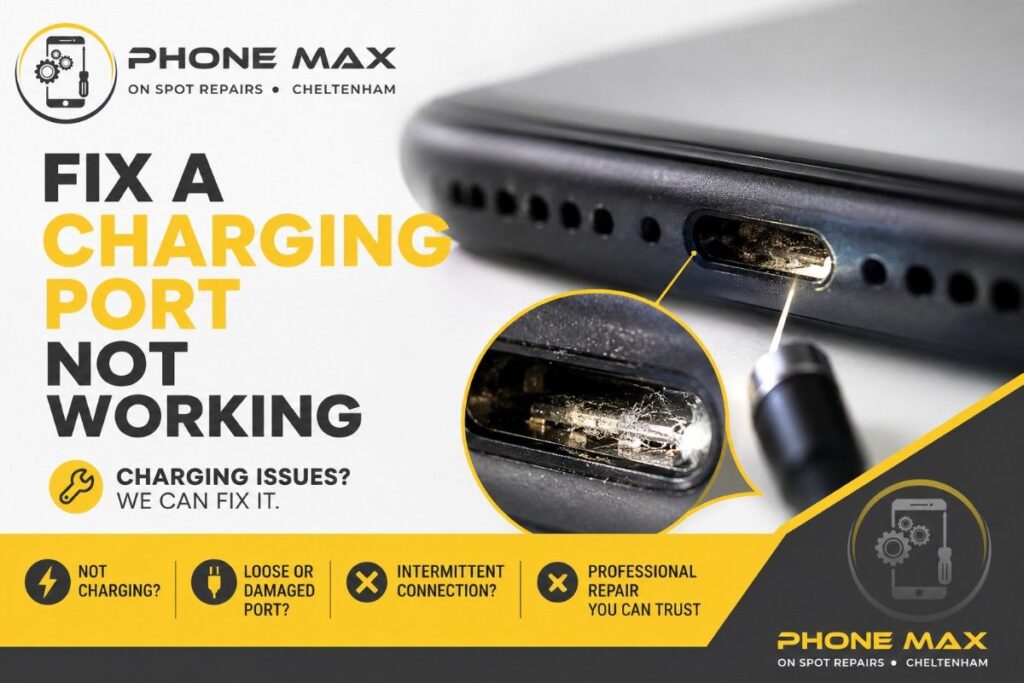
Charging port full of pocket fluff
Genuinely, this is more common than people expect, especially through a Cheltenham winter when phones live buried in coat pockets. Shine a torch into the port. If you see grey fuzz packed in there, that’s your answer; a cotton bud or a wooden toothpick (never metal) clears it out safely.
Power button that’s stuck or knocked loose
Press it a few times and feel for a click. Spongy, sunken, or silent means it’s a hardware problem sitting in the button itself, and no amount of charging fixes that. We cover the exact same diagnostic logic in our laptop troubleshooting guide, if you’re dealing with both a dead laptop and a dead phone in the same week; it happens more than you’d think.
My Phone Is Not Switching On Even After Charging All Night
This is the message I get most through the shop’s WhatsApp. Someone’s left it on charge overnight, checked it in the morning, still nothing.
Here’s the thing worth knowing: If it’s been charging for 8 hours and still shows zero response, that’s very rarely a “needs more time” problem anymore. It’s the battery itself. Batteries degrade with age and heat cycles, and a battery near the end of its life can accept a trickle of current without ever storing enough to power the screen on.
One thing to check: Does the back of the phone near the camera feel slightly warm while it’s plugged in, even with a black screen? That warmth is actually reassuring. It means the board’s alive and pulling current. The fault’s contained, and it’s very likely just the battery. You can read more about how charging faults specifically show up on our page on iPhones that won’t charge, which goes deeper into cables and ports than I have room for here.
Phone Keeps Rebooting or Stuck on the Logo
Different problem, different fix. A phone that keeps rebooting, or loops on the logo screen without ever finishing, usually points to a software crash or a failed update rather than a hardware fault outright.
Leave it plugged in and let it try the loop five or six times without touching it. Sometimes it clears itself once the battery holds a steady charge through the whole boot sequence. Still looping after that? Move on to the force restart steps below. And if even that doesn’t break the cycle, it may mean corrupted storage underneath, which is really a job for a proper diagnostic rather than more button-mashing at home.
My iPhone Won’t Turn On or Charge
Right, iPhone specifics. If your iPhone won’t power on and a straight charge hasn’t done anything, force restart it; this does not wipe your data, whatever you might have read online.
- iPhone 8 and later (including SE 2nd/3rd gen): Press and release volume up, press and release volume down, then hold the side button until the Apple logo shows up
- iPhone 7 / 7 Plus: Hold volume down and the side button together until the logo appears
- iPhone 6s and older: Hold home and the side button together
If your iPhone will not turn on even after that, plug it in and give it a full hour before trying again; a battery that’s dropped too low genuinely needs that long to build up enough charge to boot, even though nothing shows on screen in the meantime. Apple’s own guide on this matches what we do in-store, worth a bookmark: Apple Support — iPhone won’t turn on.

Samsung Phone Does Not Turn On, or Android Won’t Switch On
Android’s a bit more forgiving here. Hold the power button and volume down together for about 10 seconds; you should feel a short buzz as it resets.
Nothing happening at all usually means the battery’s too depleted to even respond to the reset combination. Give it 15 minutes on the wall charger first, then try again. Samsung publishes decent official steps if you’d rather cross-check against the source: Samsung Support UK — Galaxy phone won’t power on.

What to Do If Your Phone Won’t Turn On at All
Worked through everything above and still staring at a black screen? Run through this once, in order, before deciding it needs a repair:
- Charge for 30 minutes on a wall plug, never a laptop port
- Swap the cable and the adapter; test with a completely different set
- Torch-check the port for lint, dust, or bent pins
- Force restart using the right combination for your model
- Press the power button firmly; check it clicks, not sinks
- Note any warmth, blinking light, or vibration; all three mean there’s life in it yet
If none of that gets a response, stop pressing buttons. Repeatedly forcing restarts on a phone with a genuine board fault doesn’t fix anything, and it can occasionally make the fault harder to pin down once it does reach a technician.
What to Do If Your Phone Won’t Turn On — Cheltenham Options
If you’re local, this is where it stops being a DIY job. We run a free diagnostic on every “won’t turn on” case that comes through the door, because a charging fault, a dead battery, and a board fault cost completely different amounts, and I’d rather quote you the real figure than guess over the phone.

We’ve fixed 5000+ devices in our shop since 2019, and we see this exact fault most weeks from people across Cheltenham, Bishop’s Cleeve, Prestbury, Charlton Kings and Leckhampton. If getting to the High Street isn’t convenient, our pick & drop service covers Cheltenham and the towns around it, so someone collects it from you instead. Full list of what we handle is on the services page, and if you already know roughly what’s wrong, you can just request a quote directly.
Conclusion
A dead-looking phone feels like a £500 problem. Most of the time it isn’t. Charging, cables, ports, and the power button cover the vast majority of “won’t turn on” cases I see come through the shop, and every one of them is checkable in under ten minutes without opening the phone up.
If you’ve been through the checklist above and you’re still staring at a black screen, stop guessing and get it looked at properly. Pop into the shop on the High Street, or get in touch through our contact page; we’ll tell you what it actually needs before you spend a penny on it.
Frequently Asked Questions
Why is my phone not turning on when I press the power button?
Almost always a flat battery, a charging fault, or a power button not registering the press. Charging is the cheapest to rule out, so start there.
Can a phone battery die completely and be unfixable?
Rarely. Most “dead” batteries can be swapped, and the phone works fine afterwards. It only becomes a real problem if the battery’s physically swollen and has damaged what’s around it.
Why does my phone keep rebooting instead of turning on properly?
Usually a software crash or an interrupted update, not hardware. Let it loop a few times on charge first, then force restart if it hasn’t cleared.
Is it safe to keep pressing the power button if my phone won’t switch on?
In short bursts, yes. Don’t hold it down over and over for long stretches if you suspect a hardware issue; it won’t repair a broken button, and it can make things harder to diagnose properly afterwards.