
No products in the cart.

Buy Laptop? What to Check Before You Buy
Most people who walk into our shop asking about a new laptop have already spent hours online getting confused by spec sheets. Honestly, that confusion is the whole problem. Buying a laptop only gets complicated when you try to compare every number on the box instead of asking what you’ll actually be doing with it each day.
I’ve repaired enough laptops over the years to know exactly which ones customers regret buying, and it’s rarely the cheap one. It’s the one where nobody explained what the specs meant before the sale. If you’re trying to work out how to buy laptop hardware that won’t let you down in 6 months, this is written from that side of the counter, not a marketing department.
We’ll get into what matters for work, study, gaming and coding, and where people in Cheltenham are actually buying and getting help with laptops right now, including a look at our own laptop repair advice for anyone whose current machine is already giving trouble.
What to Look for When Buying a Laptop in the UK
Start with what the laptop is for. That one question rules out half the models on a shop floor before you’ve even looked at a price tag.
About Processor and RAM
Processor and RAM decide whether the thing feels snappy or sluggish once you’ve got 6 browser tabs, a document and a video call all open at once. An Intel Core i5 or Ryzen 5 with 8GB of RAM is fine for most people, though I’d push customers toward 16GB if they multitask a lot, and Lenovo’s own buying guide makes a similar point: RAM often matters more than a faster chip.
About Storage
Storage type trips people up constantly. An SSD boots and loads programmes in seconds; an old-style HDD can leave you staring at a spinning wheel. Always check which one you’re getting before you even look at how many gigabytes it has.
About Screen Size
Screen size is more personal preference than technical decision. A 14 or 15-inch Full HD screen suits most buyers, while anyone who wants something to carry around all day should lean toward a smaller HD laptop instead.
About Battery
Battery life is where manufacturer claims and reality tend to part ways. Look for something rated around 8 hours and expect real-world use to land a bit under that.
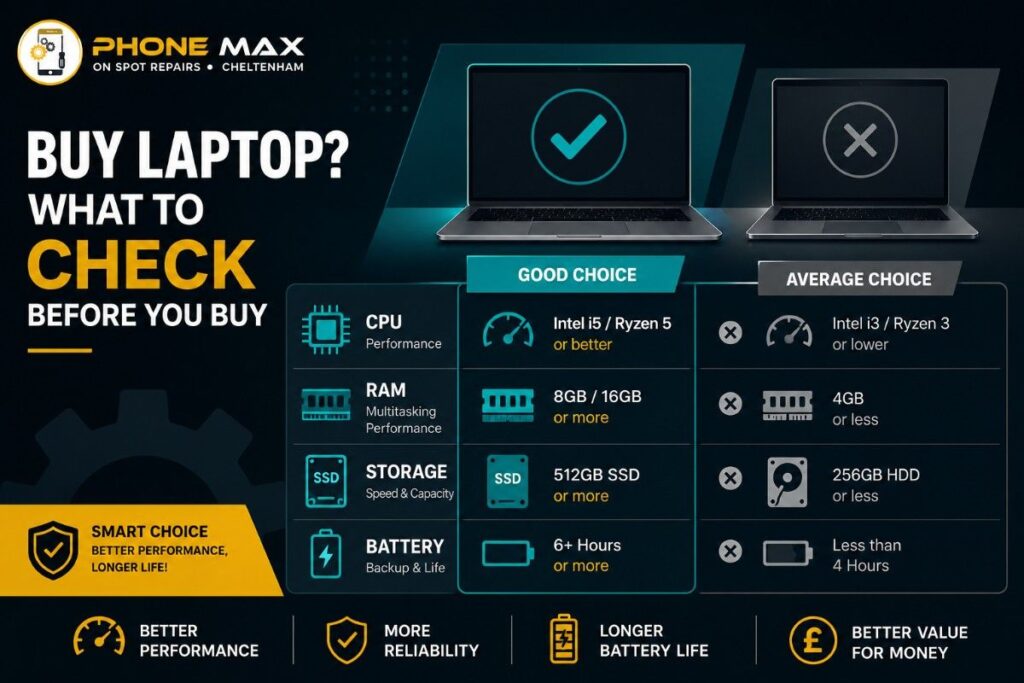
Here’s a rough table I actually sketch out for customers in store:
| Feature | Fine for everyday use | Better if you push it hard |
| Processor | Core i3 / Ryzen 3 | Core i5 or i7 / Ryzen 5 or 7 |
| RAM | 8GB | 16GB |
| Storage | 256GB SSD | 512GB SSD or more |
| Screen | 1080p | 1080p IPS or higher |
| Battery | 6 hours | 8 hours plus |
Currys’ laptop guide puts it well too, saying a fast processor paired with decent RAM is what keeps multitasking from feeling laggy, and that’s exactly the combination that keeps customers happy long after the sale.
Best Place to Buy a Laptop in Cheltenham UK
If you’re wondering where to buy laptop hardware locally rather than waiting on a courier, Cheltenham actually has decent options. Argos’ laptop selection and the bigger chains stock the popular brands, but once you’ve paid, aftercare from them tends to be a phone queue rather than a face-to-face.
That’s really the gap a shop like ours fills. We sell phones day to day, but laptops come through the door just as often, whether that’s selling one or fixing one that won’t turn on. Having someone local who’ll still answer the door in six months counts for a lot.
Buying HP or a MacBook Air Locally vs Online
If your heart’s set on a specific model, say a buy laptop HP option or a buy MacBook Air, seeing it in person before paying still matters. Photos don’t tell you how warm the keyboard feels under your hands or whether the trackpad clicks properly.
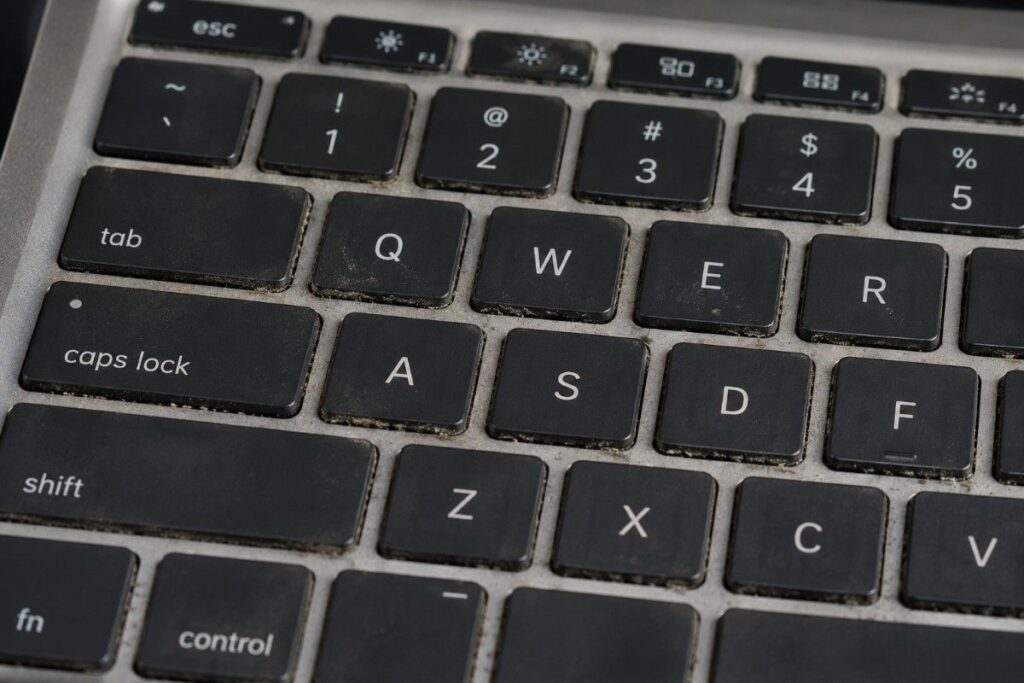
I always tell people to type on it and use the trackpad before deciding anything else. You’ll use both of those every single day, so five minutes in a shop saves a lot of regret later.
Cheltenham sits close enough to Gloucester, Tewkesbury, Cirencester and Bristol that a short drive to compare a couple of shops before buying is realistic for most of the county, not just locals on the High Street.
What to Look for When Buying a Laptop for Work
A business laptop needs to be reliable and light more than it needs to be powerful. Most office software, spreadsheets, email, and video calls run comfortably on a Core i5 with 16GB RAM and a 512GB SSD, and you won’t notice much difference going higher unless you’re editing heavy files daily.
Security features matter more here than on a personal machine. A fingerprint reader and a webcam shutter are worth having if the laptop will ever carry client information.
Weight matters too, more than people expect until they’ve carried a 2kg laptop across Cheltenham for a client meeting. Under 1.5kg with genuinely good battery life makes commuting or working from a café far less of a chore.
What to Look for When Buying a Laptop for a Student
This is probably the laptop buying guide question we get asked most, usually by parents rather than the student themselves. Students need something portable enough to carry between lectures and strong enough to survive 3 years without falling apart.
A 14-inch laptop with 8GB RAM, a 256GB SSD and either Windows 10 or Windows 11 covers most subjects fine: essays, research, video lectures, the usual. Anyone on a design, engineering or computing course should stretch to 16GB RAM if the budget allows it.
Note: Check the university’s own minimum spec list before buying anything. Some engineering and computing courses are stricter about this than students expect, and it’s an easy thing to miss until week one.
What to Consider When Buying a Laptop for Programming
Developers need something that can run several environments and code editors at once without grinding to a halt. An i7 processor with 16GB RAM and a fast SSD is a realistic starting point, not a luxury, once you’re running a virtual machine alongside everything else.
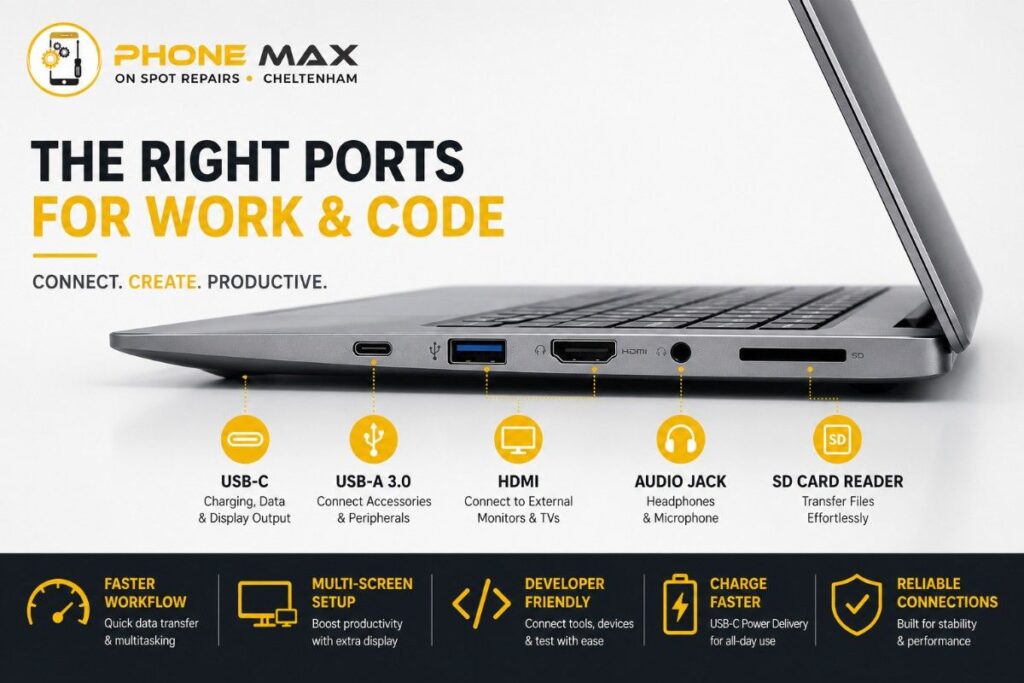
Screen quality matters more here than most buyers assume, since you’re staring at text for hours. A sharp matte 1080p display, or better, saves your eyes over a full working day.
If you’re comparing laptops i7 options for coding specifically, I’d take a good keyboard and reliable cooling over a marginally faster clock speed every time. Sustained performance beats short bursts when you’re compiling code repeatedly.
What to Look for When Buying a Laptop for Gaming
Gaming laptops live or die on the graphics card, not the processor. Pair a dedicated GPU with at least 16GB RAM and a fast SSD so loading screens don’t test your patience mid-session.
Refresh rate matters as much as raw specs here. A 120Hz screen makes fast-paced games feel noticeably smoother than the standard 60Hz you’d get on a general-purpose laptop.
Battery life takes a back seat, since most gaming happens plugged in anyway. Don’t let a short battery figure put you off if everything else fits what you need; that’s just how these machines are built.
What Customers Tell Us
People consistently mention that they’d rather get straight, honest advice than a sales pitch when buying a laptop, and that’s the reputation we’ve tried to build since 2019 as a family-run shop rather than a chain. What comes up again and again is that having someone explain the difference between specs in plain English, without jargon, is what actually brings people back, whether that’s for advice on a new vs refurbished phone or a laptop repair months later.

Conclusion
Buying a laptop stops being overwhelming the moment you separate what you’ll actually use from what just looks good on a spec sheet. Match the processor, RAM and storage to your real workload, test the keyboard in person where you can, and you’ll avoid the most common regret we see walk back through our door.
If you’re in Cheltenham, Gloucester, Tewkesbury or Cirencester and want a second opinion before buying, or your current laptop needs looking at, get in touch, and we’ll talk it through properly.
Frequently Asked Questions
What are the specifications of a good laptop for students?
At least 8GB RAM, a 256GB SSD, a 14-inch Full HD screen and battery life that actually lasts through a lecture day. Design or engineering students should aim closer to 16GB RAM.
What are the specifications of a good laptop for work?
Core i5 or better, 16GB RAM, a 512GB SSD, and basic security features like a fingerprint reader. Portability matters just as much as power for most office jobs.
What to look for when buying a laptop for home use?
A comfortable screen size, a fan that doesn’t sound like a hairdryer, and enough storage for photos and documents. An i5 with 8GB RAM handles browsing and streaming without fuss.
Is it better to buy a laptop online or in a shop in Cheltenham?
Buying in person lets you actually test the keyboard and screen before committing, which no online listing replicates properly. It also gives you somewhere to go back to if something needs fixing later.
How much RAM do I need for a laptop in 2026?
8GB covers basic use, but 16GB is the realistic, comfortable minimum now for multitasking, coding, or creative work without slowdown.