No products in the cart.
Phone Speaker Not Working? 7 Fixes Before Repair
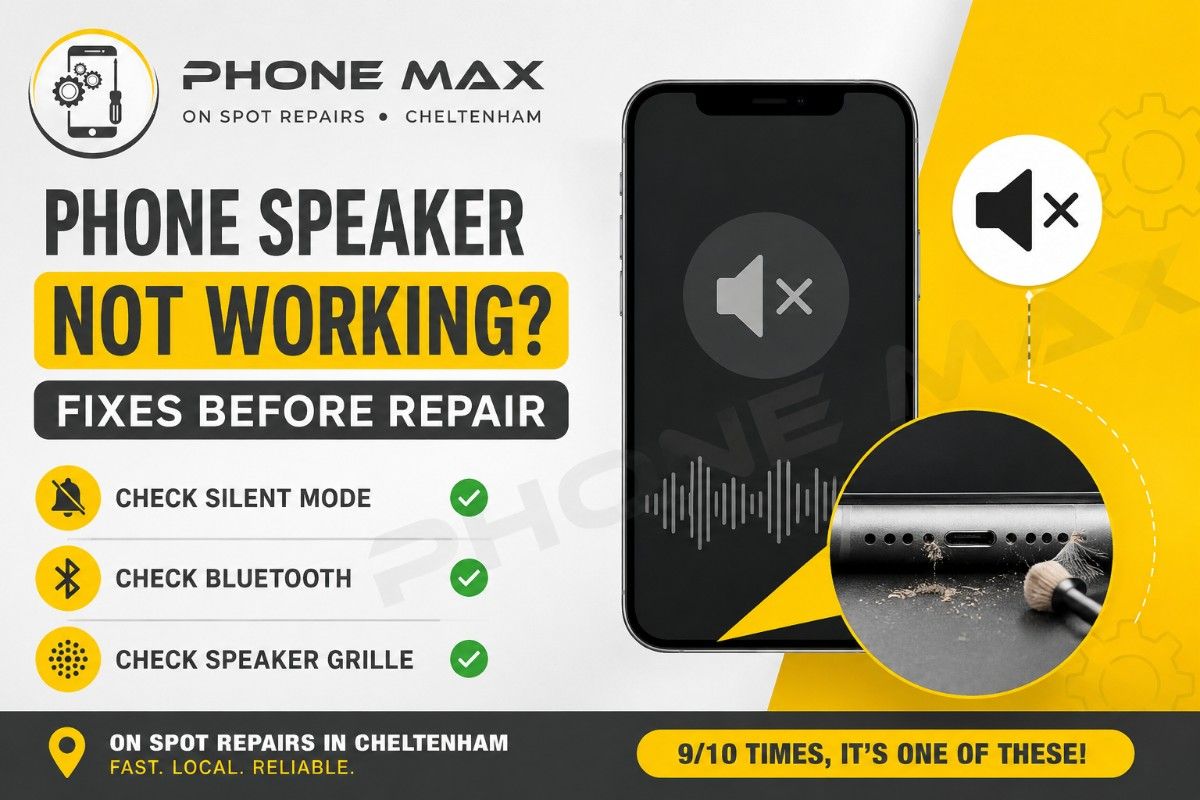
First of all, the common checks: If your phone speaker is not working, check silent mode, Bluetooth, and the speaker grille before you assume the worst. 9/10 times that’s genuinely all it takes. I say that as someone who spends most days fixing exactly this at Phone Max on the High Street in Cheltenham.
People walk in convinced their phone is dying. Half the time it’s dust in the mesh. The other half it’s a Bluetooth connection their phone never actually dropped, so it keeps sending the sound somewhere else. I still run through the same checklist every time before I open a case up, because it’s quicker than guessing, and it saves the customer money if the fix really is that simple.
Below is that checklist, in the order I use it on the bench, for iPhone and Android. If none of it works, I’ll tell you honestly where it stops being a five-minute job.
Why Is My Phone Speaker Not Working?
There are really only two families of cause here. A phone speaker problem is either software getting in the way, or something physical stopping the sound from getting out.
1- On the software side: Silent mode, Do Not Disturb, a phone convinced it’s still connected to a Bluetooth speaker from three days ago. None of these mean anything is broken. They just mean the phone is routing audio somewhere you’re not expecting.
2- On the physical side: Dust and pocket lint clogging the mesh over months, a crack from a drop, or moisture that dried on the outside while it kept working its way into the connectors underneath. If your phone speaker not working started right after a fall or a splash, that’s usually your answer already, and I’ll come back to what to do about it.
7 Fixes to Try First Before You Pay for Repair
Go through these in order. This is genuinely the sequence I use, and together they solve most of what comes through the door.
1. Check silent mode and both volume levels. iPhones have the mute switch on the side. Samsung and other Android phones split media volume and ring volume, so check both, not just one. This alone fixes more calls than anything else on the list.
2. Turn off Do Not Disturb. It silences calls and alerts without any warning, which makes a perfectly healthy speaker look dead. iPhone keeps it under Settings, then Focus. Samsung has it under Settings, Sounds and Vibration, then Do Not Disturb, and Samsung’s own troubleshooting guide for speaker and sound issues walks through the exact menu path for different Galaxy models.
3. Disconnect Bluetooth completely. Not just the device you think is connected; turn Bluetooth off entirely. A phone that thinks a headset is nearby will route audio there even if nothing is actually paired.
4. Clean the speaker grille. This is the one I reach for most. Power the phone off, take the case off, and gently brush the mesh with something soft and dry; a spare toothbrush works fine. Skip compressed air on newer phones; it tends to push debris deeper rather than out.
5. Restart it properly. A full restart, not just locking the screen. Hold the power button until you get the option to restart or power off.
6. Check for a software update. iPhone: Settings, General, Software Update. Samsung: Settings, Software Update. Manufacturers roll out audio fixes more often than people realise, and this is often the whole reason behind sound not working on Samsung phone models after a recent update.
7. Boot Android into safe mode and test again. Hold power, then press and hold Power Off until safe mode appears. If the speaker works there, a recently installed app is the problem, and removing it usually clears things up for good.
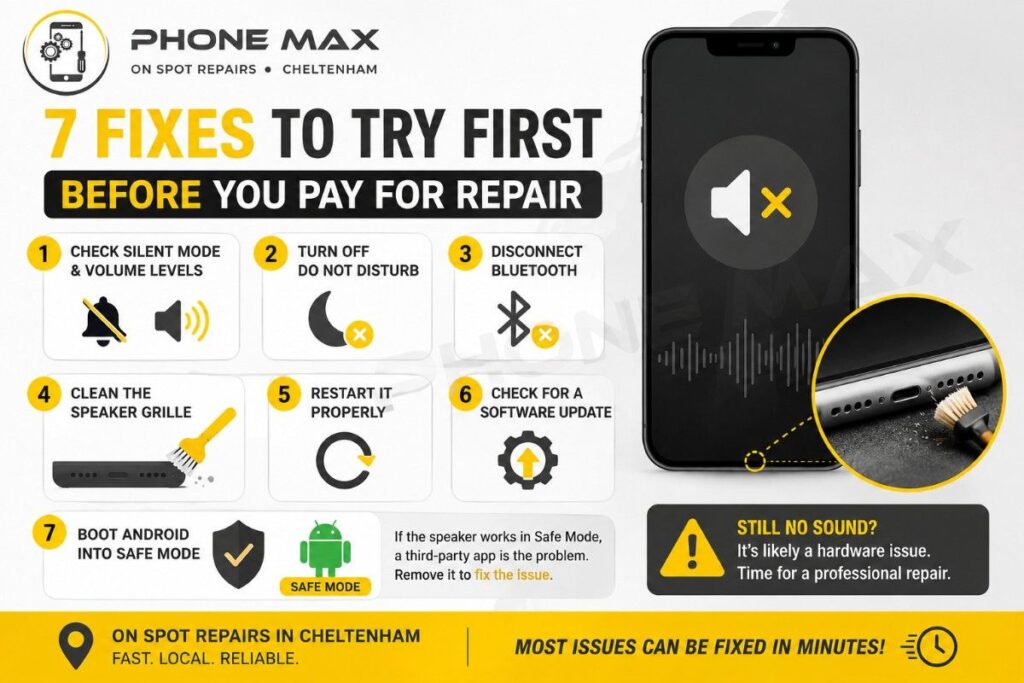
Worked through all seven and your phone speaker is still not working? That’s generally the point where it’s a hardware issue, not software.
Why Is My Phone Not Ringing Even Though Everything Else Sounds Fine?
This one’s different from a dead speaker, and it comes up constantly. Music plays, videos play, but calls stay silent. Check the ringtone volume on its own, since it’s separate from media volume on both platforms. Check whether a Do Not Disturb schedule has quietly switched itself on. And check for call silencing settings; iPhone keeps “Silence Unknown Callers” under Settings, then Phone, and Samsung has an equivalent buried in its own Phone app settings rather than the main system menu.
IOS vs Android: A Few Platform Quirks
The checklist above covers both, but each platform has its own specific traps.
iPhone Speaker Not Working After a Drop
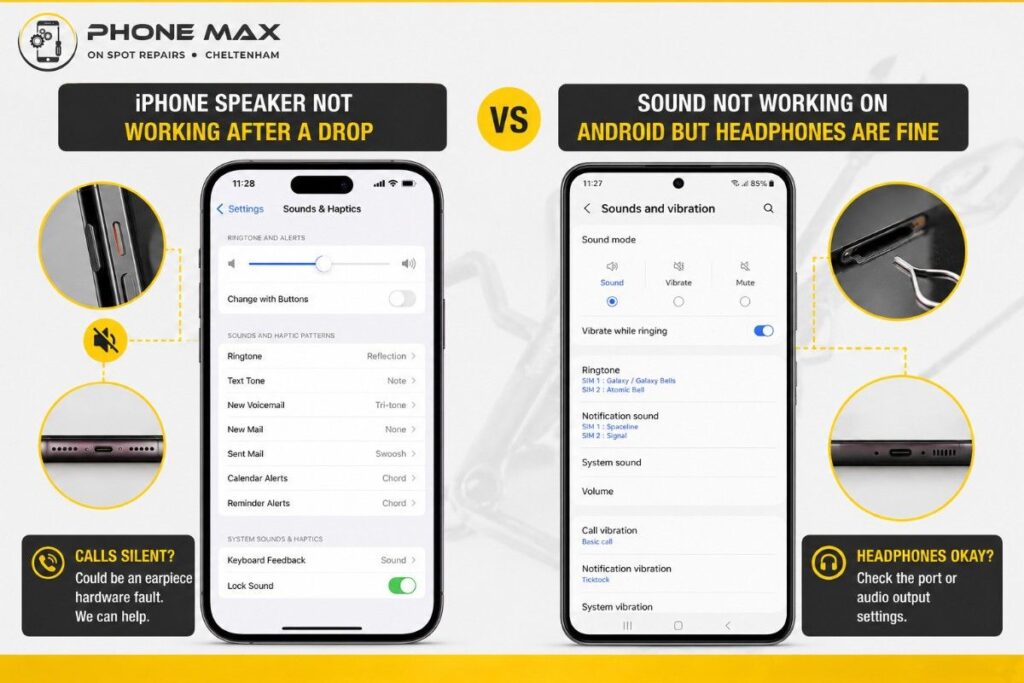
Certain iPhone generations, the 7 through the X in particular, have a known fault where the earpiece speaker fails after a drop while the main loudspeaker for music and alarms keeps working fine. If calls are silent unless you switch to speakerphone but everything else sounds normal, that’s almost always a physical fault in the earpiece component. Apple’s own guide for no sound or distorted sound from the speaker covers the same diagnostic steps I run through in the shop, and if you get to the end of it with no luck, it’s a hardware job.
If you are planning to buy a used iPhone, read our blog on “How to Buy a Used iPhone Safely” first before you make a deal.
Sound Not Working on Android Phone, but Headphones Are Fine
If headphones work but the speaker doesn’t, the phone usually believes something is still plugged in, even on models without a physical headphone jack. Plugging a cable in and out a few times sometimes clears the sensor. On newer USB-C Android models, it more often means the port itself needs a proper clean, or checking by a technician.
When It’s Time to Bring It In
If you’ve cleaned the grille, gone through every setting, and the phone speaker is still not working, it’s worth having someone actually open it up rather than guessing further. A voice memo test that still produces nothing through the earpiece after a restart is a strong sign of a component fault, and no amount of settings tweaking brings that back.
We see this constantly at Phone Max from customers across Cheltenham and the surrounding area, including Gloucester, Cirencester, Tewkesbury, Stroud, and Bishop’s Cleeve. Most speaker repairs are same day if we’ve got the part in, and if getting into the shop during the day is awkward, our pick and drop service covers the area too. You can request a quote online first if you’d rather know the cost before booking anything in.
What customers actually say after a repair matters more than anything I can write here:
“Brilliant services and amazing prices with a really friendly staff.”
“Highly recommend for top class service and quality repairs.”
“Great service fixing my broken screen.”
Conclusion
Most of the time, a phone speaker not working is dust, a setting, or a Bluetooth ghost, not a dying phone. Work through the seven fixes above, and you’ll likely sort it without spending anything. When it genuinely is hardware, it’s usually a quick, affordable fix rather than a reason to replace the whole handset.
Still stuck after trying all of this? Book an appointment, and we’ll take a proper look. If your issue started after a spill rather than a drop, our piece on what to do with a water-damaged phone is the next thing worth reading.
Frequently Asked Questions
Can a phone speaker fix itself over time?
If it’s dust or a stray Bluetooth connection, sorting that clears it instantly. If it’s a cracked component or water damage, it won’t resolve on its own and usually gets worse, not better.
Is it worth repairing a phone speaker or just replacing the phone?
For most handsets, a speaker repair costs a small fraction of a new phone. Unless there’s something else seriously wrong with it, repair wins on value almost every time.
Why does my speaker crackle before it goes silent completely?
Crackling that builds up before total silence usually points to a damaged driver, from a drop or from moisture, rather than a software glitch. Worth getting checked before it fails outright.
Can a case or screen protector cause speaker problems?
Occasionally, yes. A badly fitted case or a protector overlapping the earpiece can muffle calls specifically. Taking the case off briefly is a fast way to test it.
How much does a speaker repair cost?
It depends on the model and part availability, which is why we always quote properly before starting rather than guessing a number over the phone. Our services page has a general sense of what we cover, and contacting us directly gets you an accurate figure fast.