
No products in the cart.
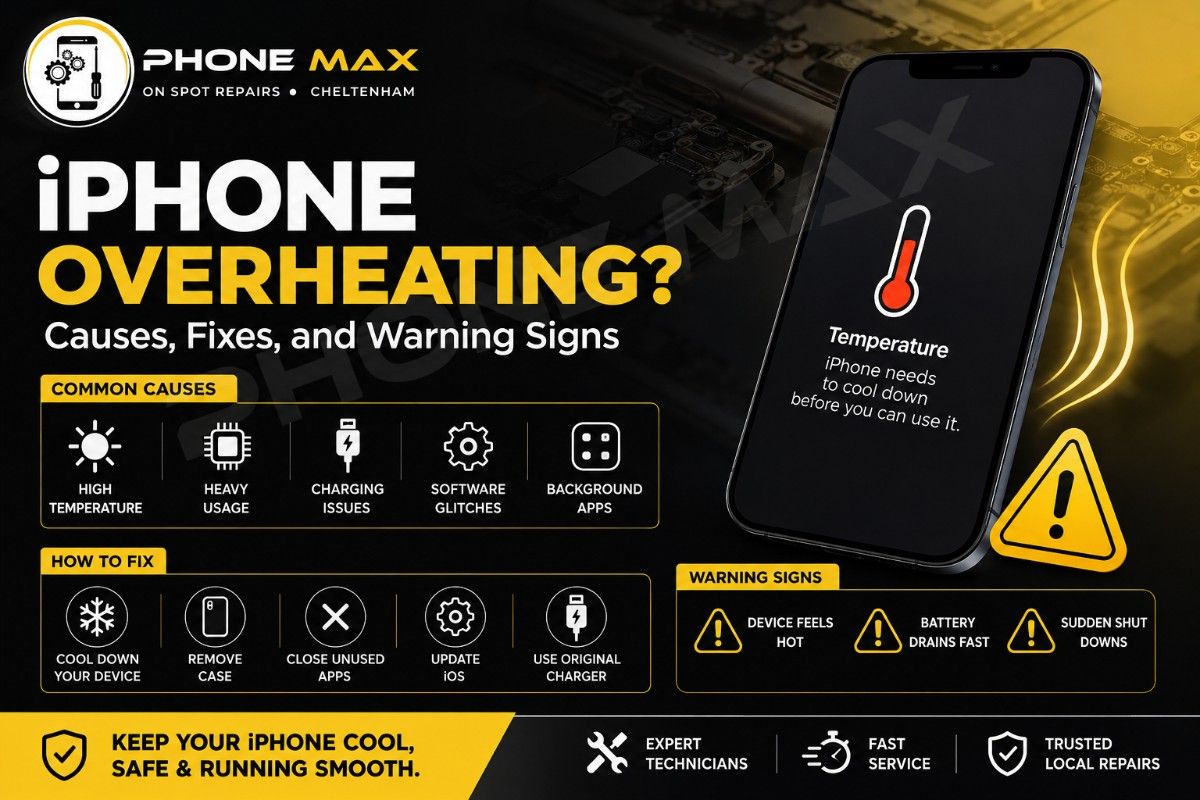
iPhone Overheating? Causes, Fixes, and Warning Signs
People across Cheltenham ask about this more than almost any other iPhone problem. The phone’s hot to the touch, the battery’s draining fast, and there’s no obvious explanation. Sometimes iPhone overheating happens mid-charge, sometimes during a game, and sometimes the phone just runs warm with nothing going on at all. Most of the time, it’s completely fixable without replacing your phone.
This guide covers every real cause and every fix that actually works.
Why Is My iPhone Overheating? The Causes
If your iPhone is a bit warm, it’s probably not a problem. It is perfectly normal for devices to get hot during long phone calls, software restores, charging, or after large iOS updates. In such cases, the processor is just running at a higher intensity for a brief period.
But chronic overheating is not the same. If your iPhone is hot for a long period, it’s warm when it shouldn’t be, or you’re getting a temperature warning, there is most likely a problem with it, and it needs attention.
1- Running too many applications
A few applications tend to use a lot of your iPhone’s processor. Among the largest offenders are mobile games, GPS navigation programs, such as Google Maps, and social media with live video updates.
Multiple simultaneous use of these applications can generate significant heat.
2- An Ageing Battery
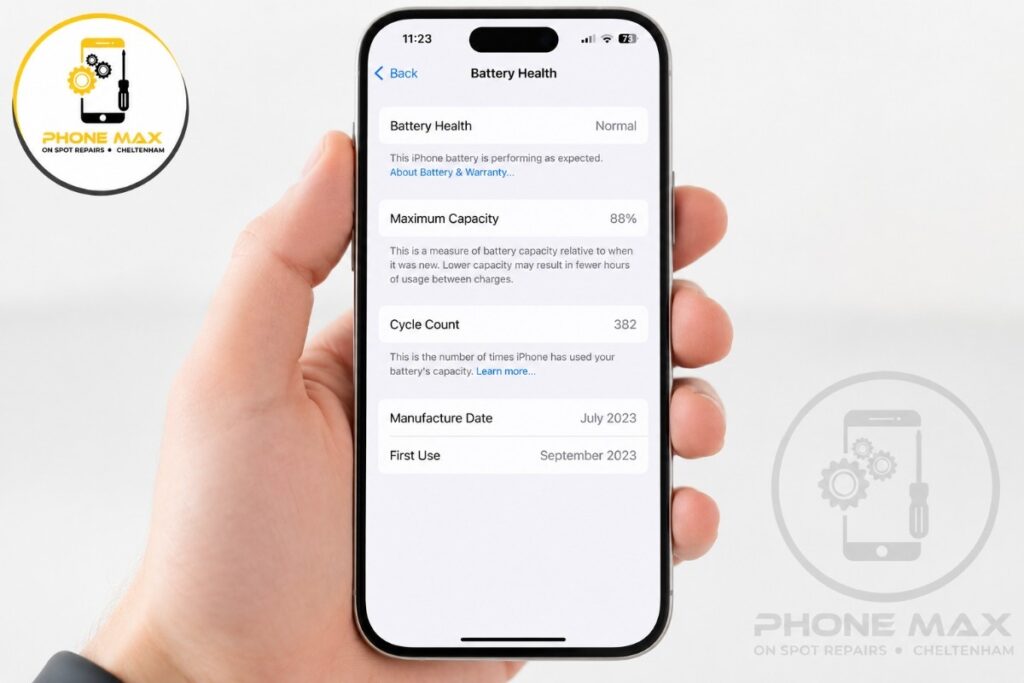
More than people realize, battery health is important. As a battery gets older, its health deteriorates, and it needs to exert more effort to perform at the same level as a healthy battery.
This extra pressure produces extra heat. If you’ve noticed that your device is overheating and the battery drains quickly, then you can be sure that these two are related to the same problem.
3- Outdated iOS Software
Some software may have bugs that allow background tasks to run without you knowing. This secret operation causes the processor to be busier, which results in high temperatures and reduced performance.
By staying up to date on iOS, these problems can be solved and can even prevent unexpected overheating.
4- Excessive Background Activity
Your iPhone could still be working in the background even if it seems like it’s not.
Location services, photo syncing, app refresh, and cloud backups can operate in the background all day long. They are low-power consumers on their own, but can be a big source of heat when used together.
Overheating can often be the result of something you aren’t even using, but something that is running in the background.
5- Direct Sunlight and Hot Environments
One of the most underestimated causes of iPhone overheating is from the outside heat.
Phones placed on car dashboards, near car windows, or in direct sunlight can easily heat up to unsafe operating temperatures. Sometimes, your iPhone will overheat even if you have no app that is using lots of CPU.
A warm afternoon in Cheltenham can be enough to take even a device out of its comfort zone if it’s left in direct sunlight for a prolonged period.
iPhone Overheating While Charging: What’s Actually Happening
This is the question I hear most from people in Cheltenham who come to Phone Max for help. And there’s a reason it comes up so often.
Charging always creates some heat. Your battery converts electrical current, and that process isn’t perfectly efficient, so some of it becomes heat. That’s normal.
The problem starts when things stack on top of each other. Case on. Screen bright. Running an app. Cheap cable. Warm room. Every single one makes iPhone overheating when charging worse. All of them together and it’s going to feel alarming.
What to Do When iPhone Gets Hot While Charging
Turn the screen off, take the case off, and put the phone face down somewhere cool. That’s the first step.
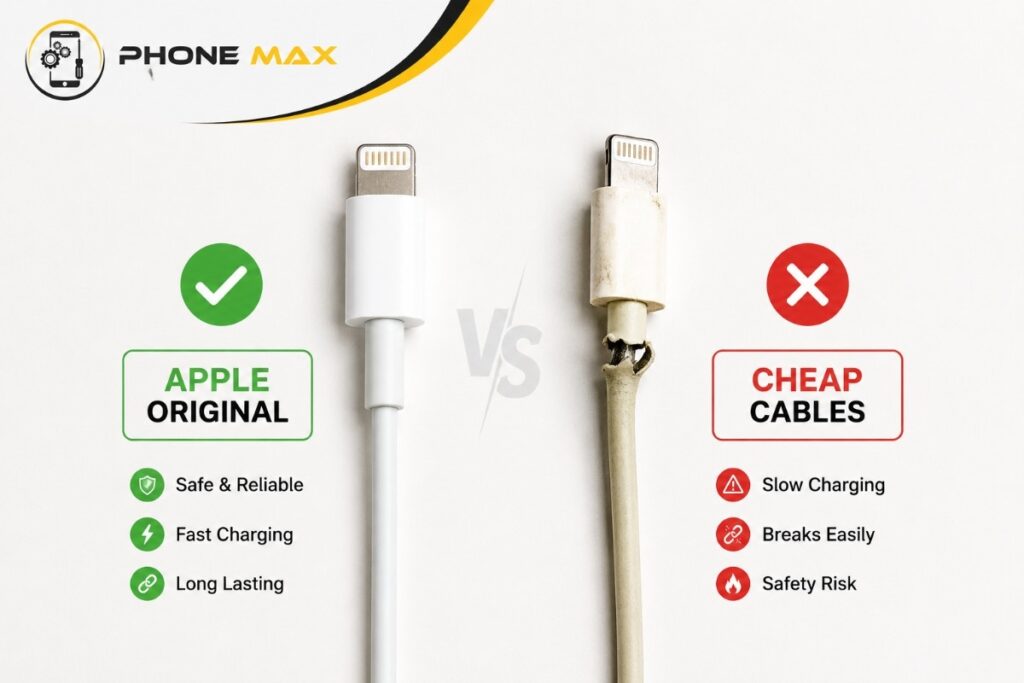
Then check your cable. A cheap, non-certified cable creates an unstable connection at the charging port. Your phone pulls harder to draw current, which creates unnecessary heat at the port and inside the battery. I’ve seen charging ports physically degraded from months of bad cable use. One customer in Cheltenham came in, convinced that the charging port needed replacing. Swapped the cable to an Apple-certified one, and the problem was gone the same afternoon. An MFi-certified cable isn’t optional if you want to stop iPhone overheating while charging for good.
Note: Don’t charge under a pillow or blanket. Don’t charge in a warm car. Charge with the screen off in a cool room with the case removed. That combination alone fixes most of these complaints.
iPhone Not Charging? Here Are 7 Reasons Why
Why Is the Back of My iPhone Hot?
The back panel of your iPhone, whether it’s glass or aluminium, is actually part of how the phone releases heat. A warm back is often the device working exactly as designed.
But a hot back, not warm, actually hot to the touch, means the output is beyond normal levels.
The usual reasons are heavy processor load, a struggling battery, or a stuck background process. One cause people always miss: location services. Go to Settings > Privacy & Security > Location Services and check how many apps are set to “Always”. Social apps, shopping apps, and games: many of them request permanent location access, and users accept without a second thought. Every one of those keeps a processor thread quietly alive. That’s often the hidden reason your phone is running hot when you’re not doing anything on it.
iPhone Overheating Temperature: The Range You Need to Know
According to Apple, your iPhone is designed to operate between 0°C and 35°C. That covers most conditions in the UK without any issues.
Outside that range, the phone starts protecting itself automatically. This isn’t a fault. It’s the device doing exactly what it was built to do.
“iOS and iPadOS devices have built-in protections to prevent overheating. If the interior temperature of your device exceeds the normal operating range, your device will protect its internal components by attempting to regulate its temperature.” — Apple Support
iPhone Temperature Warning: What the Screen Is Telling You
If you’ve seen “iPhone needs to cool down before you can use it”, your device has passed its safe internal threshold. Everything goes into protection mode.
Here’s what changes when the iPhone temp warning appears:
| What You Notice | What’s Happening |
| Charging slows or stops completely | Battery protecting itself from heat damage |
| Screen dims or goes black | Power draw is being reduced immediately |
| Signal drops | Antenna being throttled back |
| Camera flash not working | Flash sensor temperature too high |
| GPS goes audio-only | The screen shuts off, and directions continue by voice |
| Apps very sluggish | CPU speed is being reduced to cut heat output |
The iPhone temperature warning is not permanent damage. Let the phone cool, and everything comes back to normal. But if it keeps happening, something underneath needs sorting, and you should contact mobile experts as soon as possible.
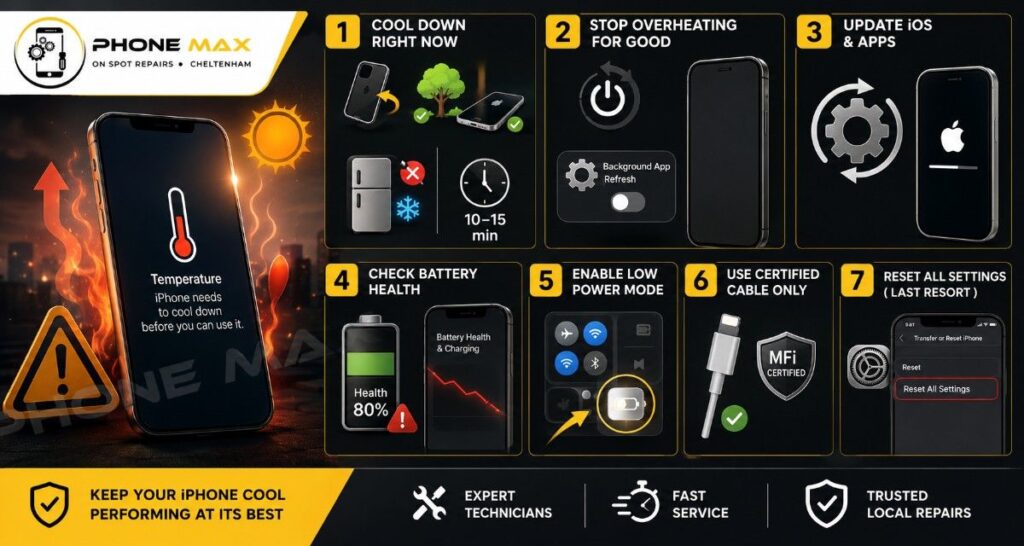
iPhone Overheating Fix: Step-by-Step
Step 1: How to Cool Down an iPhone Right Now
Take the case off. Move somewhere shaded. Turn the screen off and put it face down on a cool surface.
Don’t put it in the fridge or freezer. Rapid cold causes condensation inside the phone and that means water in places it should never be. Just let it sit at room temperature for 10 to 15 minutes. That’s usually enough.
Step 2: How to Stop Your Phone from Overheating for Good
Restart properly. Not just the lock screen. A full power off, 30 seconds, back on. This clears stuck background processes that simply closing apps won’t fix.
Turn off Background App Refresh. Settings > General > Background App Refresh. Switch it off entirely or limit it to Wi-Fi only. This alone has fixed persistent iPhone overheating for a lot of customers.
Step 3: Update iOS and apps
Settings > General > Software Update. Apple patches thermal management bugs regularly. If your iPhone started getting hot after a recent update, a follow-up fix is often already available.
Step 4: Check Battery Health
Settings > Battery > Battery Health & Charging. Below 80%, and your battery is working harder than it should on every single task. It generates more heat, drains faster, and only gets worse over time. A battery replacement at that point is the solution, not a workaround.
Step 5: Enable Low Power Mode
Swipe down on Control Centre and tap the battery icon. It reduces background activity immediately and brings temperatures down.
Step 6: Use a certified cable only
Apple or MFi-certified. iPhone overheating while charging improves with a proper cable more often than people expect. It’s one of the most overlooked fixes.
Step 7: Reset All Settings as a last resort
Settings > General > Transfer or Reset iPhone > Reset > Reset All Settings. Your photos, apps, and data are completely untouched. System preferences go back to default. A single misconfigured setting can silently cause a background process to run at full load without stopping, and this resets it cleanly.
iPhone Battery Draining Quickly and Getting Hot
These two problems almost always arrive together. If your iPhone battery’s draining quickly and the phone’s running hot at the same time, they’re typically sharing one root cause.
Work through these in order:
- Battery Health (Settings > Battery > Battery Health). Below 80% is the point where things go wrong.
- Location services. Which apps have “Always” access? Each one adds background load and heat.
- Background App Refresh. Still on? Turn it off.
- iOS version. Is the phone fully updated?
If all of those are sorted and the problem carries on, it’s a hardware issue.
iPhone SE Overheating: Worth a Mention
The iPhone SE runs the same powerful chip as full-size iPhones but in a much smaller body. Less space means less room for heat to escape. iPhone SE overheating comes up more frequently than with other models, especially during charging and gaming. Everything in this guide applies to the SE, but take extra care to remove the case during charging and keep it out of warm environments.
When to Stop Fixing It Yourself
Home fixes sort out most iPhone overheating problems. But not all of them.
Here are the signs it’s a hardware fault and needs proper attention:
- Battery health is under 80% and the phone overheats on basic daily tasks
- The charging port gets hot every time you plug in, even with a certified cable
- Your iPhone won’t turn on after it got hot
- The iPhone screen is not responding to touch after a heat event
- Your iPhone keeps overheating within minutes of use, regardless of what you’ve already tried
At Phonemax in Cheltenham, battery replacements and port repairs are done the same day in most cases. We also offer a pick-up and drop-off service across Cheltenham if you can’t make it to us.
If the overheating is connected to a charging problem, our guide on why your iPhone isn’t charging covers the related hardware causes in full.
Conclusion
iPhone overheating is usually caused by demanding apps, an ageing battery, outdated iOS software, excessive background activity, or exposure to direct sunlight. While some warmth is normal during charging or intensive use, persistent overheating can affect performance and battery life.
Most cases can be resolved by updating iOS, reducing background activity, checking battery health, using certified charging accessories, and keeping the device cool.
Frequently Asked Questions
Why does my iPhone get hot when I’m not even using it?
Background App Refresh and constant location tracking are the usual reasons. Check Settings > General > Background App Refresh and Settings > Privacy & Security > Location Services to see what’s running silently.
Why does my iPhone get so hot during gaming?
Games push the processor and GPU to their limits. Some warmth is normal during gaming. If it stays hot well after you’ve stopped, or shuts down mid-session, a background fault or degraded battery is involved.
My iPhone won’t turn on after it overheated. What do I do?
Leave it at room temperature for 20 minutes and don’t charge it while it’s still warm. Then try a hard reset: press and release Volume Up, press and release Volume Down, then hold the Side button until the Apple logo appears. If nothing happens, bring it in for a hardware check.
iPhone screen not responding to touch after overheating. Is it broken?
Not necessarily. iPhones throttle display performance when they overheat. Let it cool fully first and test again. If the screen still doesn’t respond after cooling, the display connection needs checking.
Can iPhone overheating cause permanent damage to the battery?
Yes, if it’s ignored repeatedly. Sustained heat degrades battery cells faster than normal use would. That’s exactly why Apple built the temperature warning system in: to stop long-term damage before it sets in.
Why does my iPhone get warm even after charging stops?
If the phone stays warm well after it’s finished charging, a background process is the likely cause. Check which apps are refreshing or tracking location, and work through the fixes listed above.