No products in the cart.
Green Line on Phone Screen? Don’t Panic | Read This First
A green line on phone screen is almost always a sign of either a software glitch or a damaged display connector. If the line disappears after a restart, it is usually software. If it stays put, especially after a drop, you are likely looking at a hardware fault that needs a screen repair.
I get asked about this most weeks at my repair shop here in Cheltenham(Phone Max). Someone walks in holding a phone with a thin green line on screen, convinced the whole device is dying, and most of the time the fix is simpler than they expect. Other times, it genuinely is the display itself.
This guide walks through what causes the green line on phone screen, how to tell software from hardware, and what to do next depending on your phone brand.
What Causes a Green Line on Phone Screen
A green line on phone screen usually comes from either a software conflict inside the display driver or a physical fault in the screen hardware. Knowing which one you are dealing with saves you time and stops you trying fixes that will not work.
Phones with OLED and AMOLED panels are more prone to this display line problem than older LCD screens. The subpixels sit closer together and rely on delicate connectors, so any pressure, heat, or loose cable shows up as a coloured line rather than a blank patch.
Software Glitches Behind a Green Line on Screen
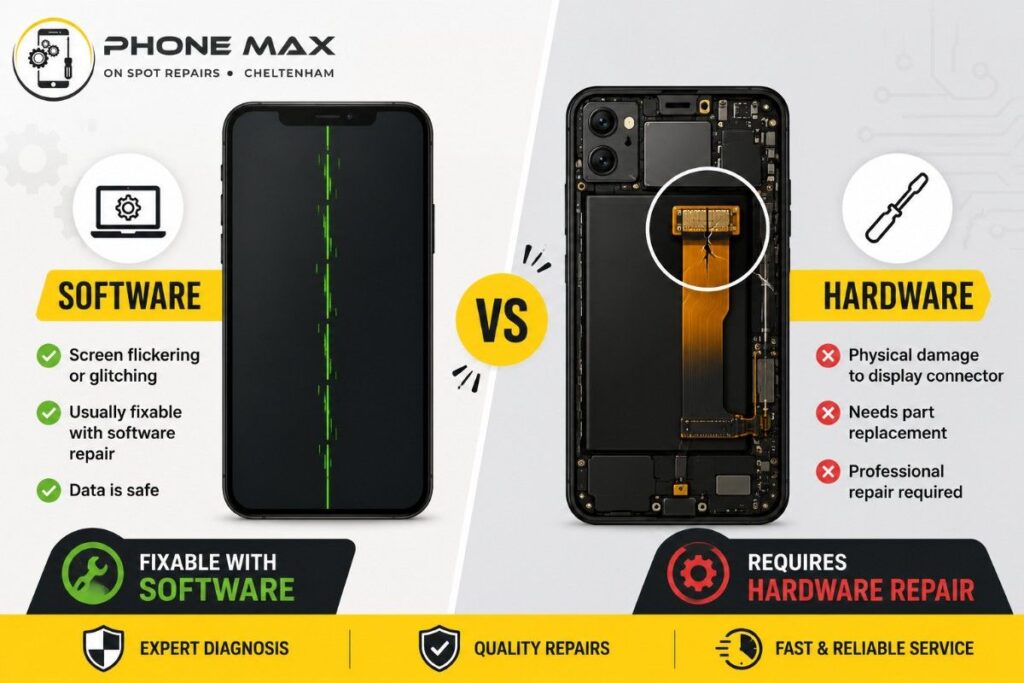
A software-related green line on phone screen often appears right after an update, a new app install, or the phone overheating during heavy use. It tends to flicker, move position, or vanish when you restart the device.
I have seen this happen to customers in Cheltenham and Gloucester after a big Android update landed overnight. The phone worked fine the day before, then a green line on screen android appeared the next morning with no obvious cause. In most of these cases, a restart or safe mode check clears it.
Hardware Damage That Triggers a Green Line on Phone Screen After Dropping
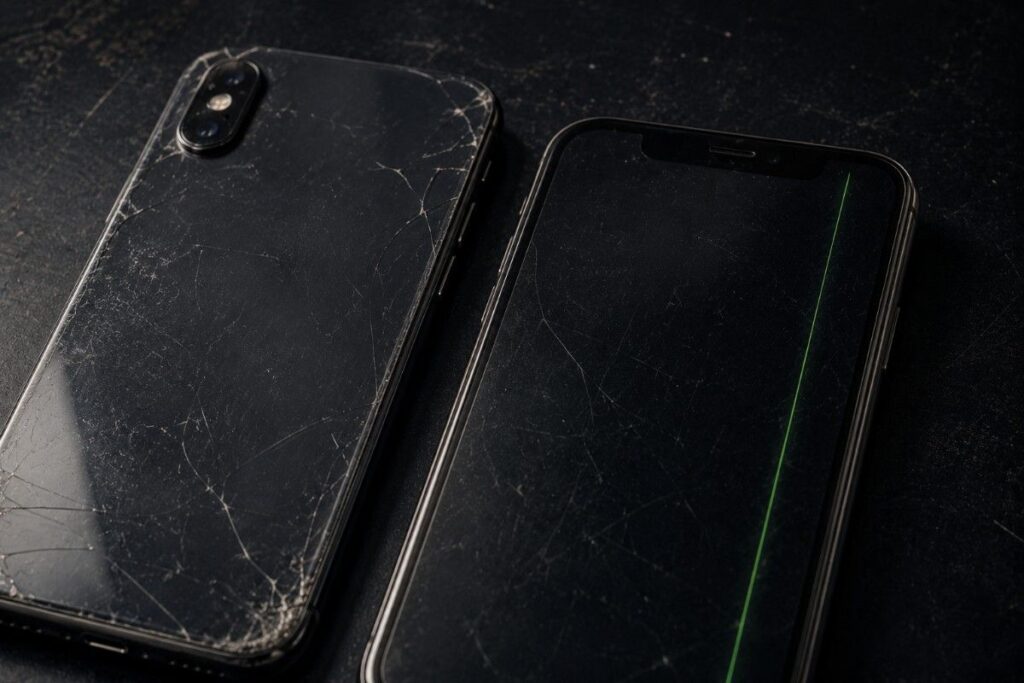
A green line on phone screen after dropping is almost always a hardware issue. The impact can loosen the ribbon cable connecting the display to the motherboard, or crack the display panel itself without shattering the glass.
One customer from Bishop’s Cleeve brought in a phone that had fallen from a bike rack. There was no visible crack, yet a vertical green line on phone screen appeared within minutes. Opening the phone showed a partially detached display connector, a classic sign of impact damage.
Here is a quick way to separate the two:
| Sign | Likely Cause |
| Line disappears after restart | Software |
| Line appears after a drop or squeeze | Hardware |
| Line changes position or flickers | Software |
| Line is fixed and constant | Hardware |
| Touch still works normally | Either, check further |
| Line appeared after an update | Software, sometimes exposes hardware wear |
How to Fix Green Line on Android Phone Screen
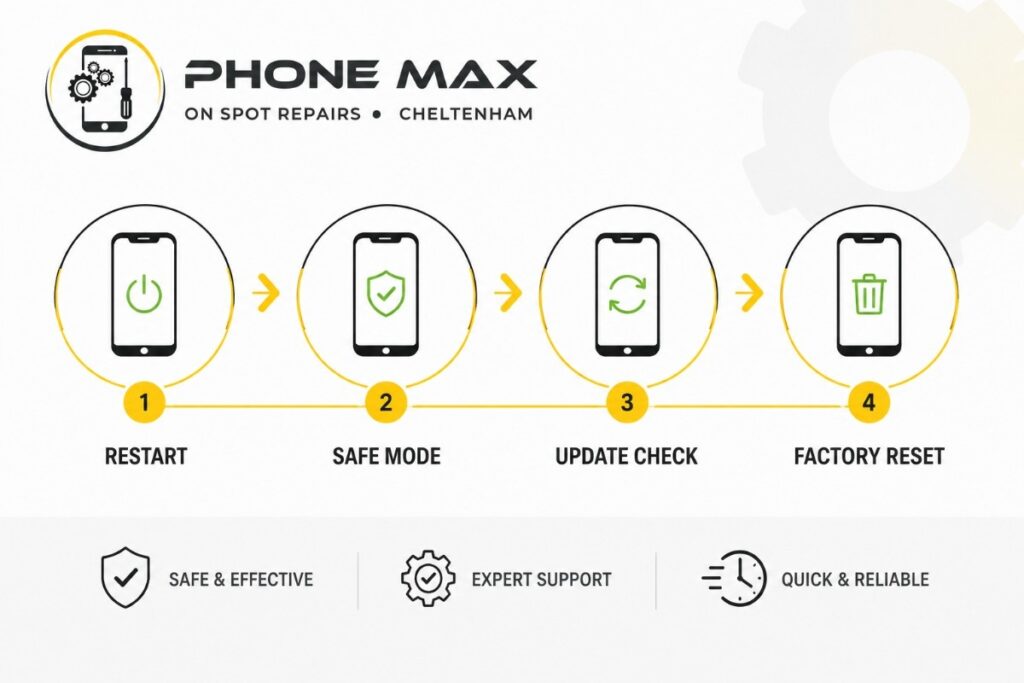
You can fix a green line on Android phone screen yourself if the cause is software. Start with the simplest step and work your way up before assuming the worst.
- Restart the phone fully, not just the screen
- Boot into safe mode to rule out a rogue app
- Uninstall anything installed just before the line appeared
- Check for and install any pending system update
- Let the phone cool down fully if it felt hot beforehand
- Back up your data, then try a factory reset as a last software step
If the green line on phone screen survives a factory reset, especially showing up during startup or recovery mode, you are dealing with hardware. No amount of software troubleshooting will remove it at that point.
How to Fix Green Line on Phone Screen Samsung
To fix a green line on phone screen Samsung devices, open the phone dialler and type the diagnostic code(*#0*#) for display testing. If the line disappears when you tap through the colour test screens, the issue sits with software rather than the panel itself.
Samsung users have also reported green line on screen android issues tied to specific One UI updates on foldable models. Wiping the cache partition through recovery mode has resolved this for several people, though it will not help if the fault is physical.
Samsung’s own safe mode guide is a good starting point if you want to rule out a rogue app first.
How to Fix Green Line on Phone Screen Google Pixel
A green line on phone screen Google Pixel usually points to either a pending software fix or a panel connector issue on older models. Google has acknowledged display bugs in certain updates, so check your update history against when the line first appeared.
If a Pixel shows the line only in specific apps or brightness levels, that is a strong signal it is software rather than a cracked connector.
Google has acknowledged display bugs in certain updates through its Pixel support community, so check your update history against when the line first appeared.
Green Line on Phone Screen OnePlus
OnePlus green line on phone screen reports often cluster around particular software builds rather than one specific model. Community threads suggest this is usually resolved through an official patch rather than anything the user needs to fix manually.
If your OnePlus phone shows a persistent green line on screen after the latest update, waiting for the next patch is often the fastest route, alongside a full restart in the meantime.
How to Fix Green Line on Screen iPhone
A green line on screen iPhone models is more often hardware-related than on Android, because Apple’s OLED panels use a tightly sealed connector that rarely gets disturbed by software alone. A vertical green line on phone screen iPhone that appears without a drop still deserves a genuine hardware check.
I always tell customers with an iPhone showing this issue not to try opening the phone themselves. Apple’s OLED displays are sensitive to static and pressure, and a local repair done incorrectly can turn a fixable line into a screen that needs full replacement.
If your iPhone is still within its warranty period, Apple’s official repair and service page can tell you if a free repair applies before you book anything privately.
Green Line on Screen After Dropping Your Phone
A green line on phone screen after dropping your phone signals that the impact has disturbed the connection between the display and the logic board. This does not always mean the whole screen needs replacing; sometimes it is just the cable.
If the phone still makes calls, holds charge, and the touch layer responds normally, Asurion’s screen line troubleshooting guide has more on why this pattern points to a connector rather than the panel.
When You Need a Local Repair Shop in Cheltenham
If restarting, safe mode, and updates have not removed the green line on phone screen, it is time to have the display checked properly. This is especially true if the line appeared after any contact with water, since liquid damage often shows up as colour lines before anything else fails, and our guide on “what to do with a water damaged phone” covers the early warning signs.
At Phone Max on the High Street, I see this exact issue come through regularly from Cheltenham, Gloucester, and Tewkesbury. A quick diagnostic check tells us within minutes whether it is the connector, the panel, or something else entirely, and you will find more on how we approach these visits on our phone repair shop in Cheltenham page.
You can also see our full range of repair and diagnostic work on the services page, or drop in via our pick and drop service if getting to the High Street is not convenient.
Conclusion
A green line on phone screen is frustrating, but it is rarely a mystery once you know what to look for. Software causes clear up with a restart, safe mode check, or update, while hardware causes need a proper look at the connector or panel.
If you have tried the basics and the line on your Android or iPhone screen is not budging, get in touch through our Contact Us page or pop into Phone Max on the High Street. We deal with this exact issue for customers across Cheltenham, Gloucester, and Bishop’s Cleeve every week, and a proper diagnostic is always the fastest way to know what you are actually dealing with.
Frequently Asked Questions
Can a software update cause a green line on phone screen?
A software update does not usually damage the screen directly, but it can trigger a fault that was already developing inside the display hardware. This is why some green lines appear right after updating even though the update itself is not the root cause.
Is a green line on screen dangerous to keep using?
It will not harm the phone further in most cases, though a hardware-related line can spread over time. As one Samsung community member put it, the line “seemed prevalent” right after a forced software rollout, and ignoring it did not make it worse in their case, but it did not improve either.
Will a factory reset fix a green line on Android phone screen?
A factory reset can fix it if the cause is software corruption, but it will not touch a hardware issue. Always back up your data first, since this step is not reversible.
Does touch still work with a green line on phone screen?
Yes, touch often continues to work normally even with a visible green line, because the touch layer and display layer are separate components. If touch does stop responding too, that usually points to deeper connector damage.
How much does it cost to fix a green line on phone screen?
Cost depends on the phone model and whether the fault is a loose connector or a full panel replacement, so getting a diagnostic check first gives you a clear picture before deciding anything.