No products in the cart.
How to Check If a Phone Is a Stolen Phone UK
Dial *#06# to get your IMEI number first. Then ask your network or check a stolen phone database. This tells you within minutes if a handset is blocked. It works for any stolen phone, new or used, iPhone or Android.
Phone theft is now an increasing problem across the UK. Cheltenham is not immune to it either. Snatch thefts on busy streets, on buses, and near the train station keep rising. A stolen phone is never just an inconvenience, since your banking apps and photos disappear with it.
This guide covers every step you need. You will learn how to spot a stolen phone before buying one. It also explains how to report your own stolen phone fast. I run a phone repair shop in Cheltenham, and I often deal with stolen phone cases. There is a quick FAQ section and a network comparison table below, too.
What to Do If Your Phone Is Stolen in Cheltenham
Act within the first hour if you can. Lock the device, report it to your network, then contact Gloucestershire Police. These three steps limit the damage a stolen phone can cause.
Start with Find My iPhone or Find My Device. Mark the handset as lost straight away. This locks the screen and blocks Apple Pay or Google Pay. Change your email and banking passwords next, since a stolen phone often still has active app sessions open.
Here is a short checklist for the first hour:
- Mark the device as lost using Find My iPhone, Find My Device, or Samsung Find My Mobile
- Note your IMEI number from the box, receipt, or settings backup
- Call your network to block the SIM and blacklist the handset
- Report the theft to Gloucestershire Police for a crime reference number
- Change passwords for email, banking, and social media accounts
A stolen phone case near The Park in Cheltenham shows how fast this happens. One man was stopped on a quiet street in broad daylight. He was threatened until he handed his phone over. The whole thing took seconds. Local cases like this are exactly why speed matters more than waiting until evening.
How to Find Your Phone’s IMEI Number
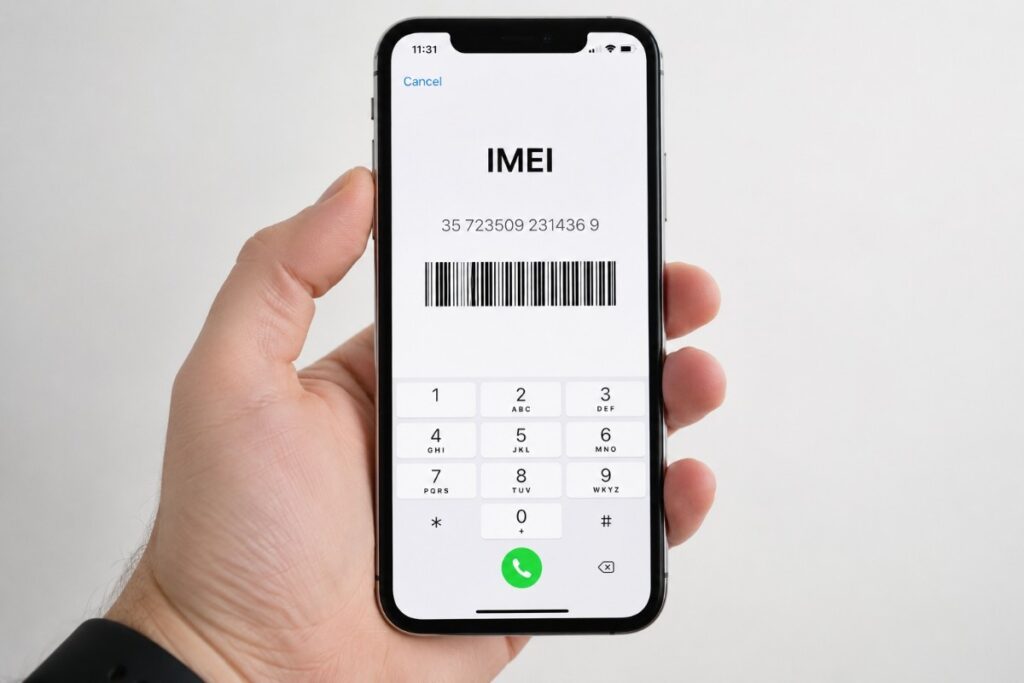
Your IMEI number is a 15-digit code unique to your handset. Think of it like a car number plate. You need it to report a stolen phone, since police and networks use it to block the device nationwide.
Dial *#06# on any working phone to see it instantly. If your phone is already gone, check the original box or receipt instead. iPhone users can also find it under Settings, General, then About. Android users should check Settings, About Phone, then Status.
Write this number down today, not after your phone is stolen. Most people only think about their IMEI number once it is already too late.
Reporting a Stolen Phone to Gloucestershire Police
Report a stolen phone to Gloucestershire Police as soon as you notice it gone. Do this online or by calling 101. Call 999 instead if you were threatened, hurt, or the offender is still nearby. Give them your stolen phone number too, since this helps link the report to your account.
Gloucestershire Constabulary lets you report a stolen phone to police online. The form usually takes under ten minutes. You will need the IMEI number, the rough time, and the location of the theft. Police will give you a crime reference number once your report stolen phone to police UK case is logged. Keep this number safe, since insurers ask for it.
It also helps to register your handset on Immobilise, the UK’s national property register. If a stolen phone is later recovered anywhere in the country, officers can check Immobilise to match it back to you.

How to Check If a Phone Is Stolen Before You Buy It
Run an IMEI check before handing over any money for a used phone. Use your network’s tool or a stolen phone database. A blocked IMEI means the handset loses signal soon after you activate it, whatever SIM you use.
This matters just as much in Cheltenham as anywhere else. Plenty of secondhand iPhones and Android phones change hands through local marketplace groups and car boot sales. A stolen iPhone often looks completely normal until you try to make a call.
Before buying any used handset, ask for original packaging or proof of purchase. A seller who refuses to show you the IMEI number is giving you a clear warning sign.
How to Check If a Phone Is Stolen: Database and IMEI Blacklist
An IMEI blacklist, also called a stolen phone database, holds records of handsets reported lost or stolen. Once an IMEI lands on this list, the phone is locked out of networks everywhere. This applies even with a different SIM fitted.
You can check most networks’ blacklist tools directly. O2, Vodafone, EE, and Three all link into the same shared stolen phone database. A clean result is a good sign, though it is not a full guarantee, because reports can land at any time.
If you buy a phone and later find the IMEI is blocked, stop using it straight away. Contact the seller and ask for an explanation. Knowingly keeping a stolen phone can cause real problems later.
Checking iPhone Activation Lock Before You Buy
A stolen iPhone is usually protected by Activation Lock. This feature ties the device to the previous owner’s Apple ID. You will see a screen asking for someone else’s Apple ID during setup if this is switched on. That is a major red flag.
Ask the seller to sign out of iCloud before you pay. Get them to remove the device from their Apple ID too. Walk away if they cannot do this in front of you. Our guide on how to buy a used iPhone safely covers this step by step.
How to Block a Stolen Phone With Your Network
My phone was stolen. How can I block it fast? Every major UK network can do this within hours. Most let you do this online, in an app, or over the phone. Acting fast stops anyone from using your number for calls, texts, or two-factor codes.
Vodafone stolen phone reports go through their lost or stolen page, or their TOBi chat assistant. O2 stolen phone reports can be made by phone or through the My O2 app. The team blocks the handset and sends a replacement SIM. EE, Three, and id Mobile handle a stolen phone report in a similar way. id mobile customers can block their own SIM directly through their account.
Here is a quick comparison of how networks handle a stolen phone report.
| Network | How to Report | What Happens Next |
| O2 | Phone, app, or live chat | SIM blocked, IMEI blacklisted, replacement SIM sent |
| Vodafone | Website, TOBi chat, or phone | Device blacklisted across UK networks |
| EE | Phone or online account | SIM barred, handset added to blacklist |
| Three | Phone or online form | SIM suspended, IMEI flagged as stolen |
| id Mobile | App, account, or live chat | SIM blocked instantly, handset blacklisted |
Most networks cap your liability for usage racked up before you report it. This applies if you act within 24 hours. That is one more reason a quick stolen phone report matters.
Using Find My Phone to Track and Lock Your Device
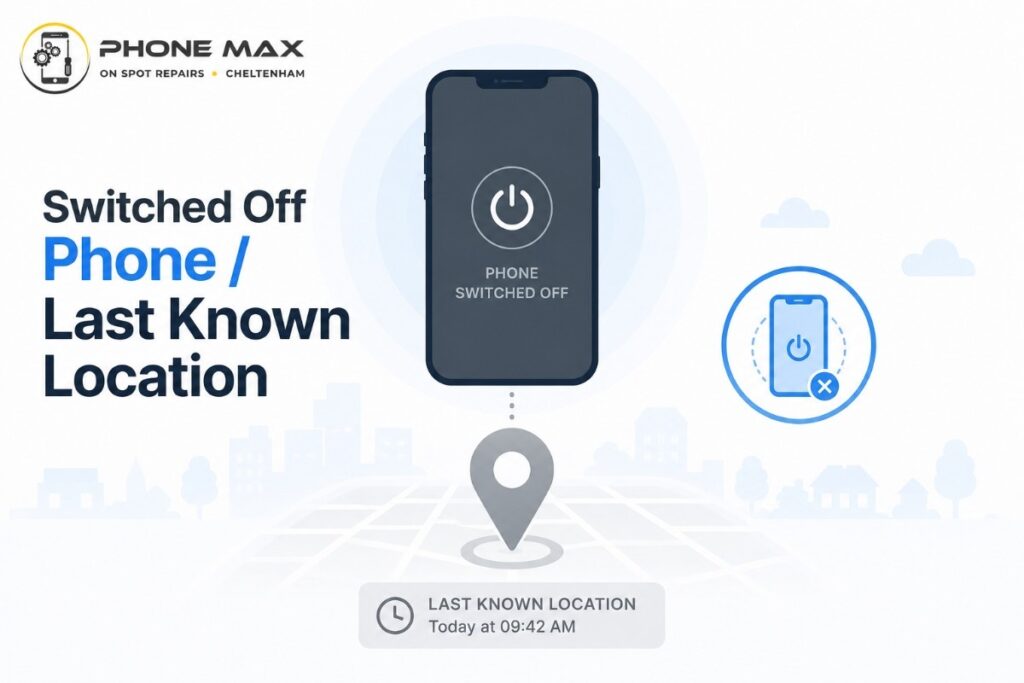
Find My iPhone works through iCloud. It shows your last known location, plays a sound, or locks the screen. Lost Mode also disables Apple Pay automatically. This stops anyone from spending through your stolen phone.
Find My Device covers Android phones in a similar way, and some people search for it as find my phone Google. Samsung devices have their own version called Find My Mobile. Try searching find my phone android or find my phone samsung in your settings menu. Google’s Find Hub can show the last known location even offline.
Avoid trying to track down my phone in person to confront whoever has your stolen phone. Locking the device and calling the police is always the safer route.
What to Do If Your Phone Goes Missing But It Was Not Stolen
A phone with no signal does not always mean theft. Dead batteries, network outages, and software glitches cause the same symptom. Even a lost mobile phone can show identical signs. Check if other people nearby have a signal first.
A cell phone missing somewhere in your own house is a different problem than a phone missing on a night out. If you suspect it is simply lost, try ringing it from another handset. You might hear it under a sofa cushion or in a coat pocket.
What to do when a phone is lost mostly mirrors what to do if a phone is stolen. There is just less urgency around police reporting. Still mark it as lost through Find My iPhone or Find My Device, since this protects your data either way.
If you genuinely cannot find it after a proper search, treat it the same as a stolen phone. Contact your network to block it. Lost phone ID mobile customers can do this directly through their account.
And if your mobile phone battery is like 100% to 0% after 3 to 4 hours without any heavy use, you could also face this situation. So before this happens, replace your battery with the original one available at Phone Max Cheltenham.
Conclusion
How to Protect Your Phone From Theft in Cheltenham? Keep your phone in a front pocket or zipped bag. This matters most around the Promenade, the High Street, and busy bus stops. Thieves on bikes target people who are distracted, holding their phones out in the open.
Set a strong passcode rather than a simple pattern. Use Face ID, Touch ID, or fingerprint unlock instead. Switch on Stolen Device Protection on iPhone or Theft Detection Lock on newer Android phones. Both features make a stolen phone far harder for a thief to use.
Register your IMEI number with Immobilise before anything happens. Keep a screenshot of your phone’s box or settings page somewhere safe, such as a cloud drive.
If your phone ends up damaged or outdated rather than stolen, our team can still help. Visit our repair services page for screen and battery work. Browse safe, checked handsets on our shop page instead. We also run a pick and drop service across Cheltenham, Gloucester, and Bishop’s Cleeve. Read more about our day to day work on our Cheltenham repair shop page, or learn more about our team.
Frequently Asked Questions
My phone was stolen in Cheltenham. What do I do first?
Lock the device using Find My iPhone or Find My Device straight away. Then call your network to block the SIM. Report the stolen phone to Gloucestershire Police for a crime reference number.
How can I tell if a used phone is stolen before I buy it?
Check the IMEI against a stolen phone database through your network or a checking service. Ask the seller to remove their Apple ID or Google account in front of you first.
Can the police actually track down a stolen phone?
Police can use the IMEI and Immobilise records to identify a stolen phone if it resurfaces. They rarely chase live GPS tracking themselves, though. Your own Find My app is usually faster for the last known location.
Will my insurance cover a stolen phone?
Most mobile and home insurance policies cover a stolen phone. You will need a crime reference number from the police first. Check your policy wording, since some require reporting within a set number of hours.
What happens if I unknowingly buy a stolen phone?
The handset will likely lose signal once the network blocks the IMEI. This leaves you with a phone that cannot make calls. Report this to the seller and consider contacting Gloucestershire Police, since you may be holding stolen property without realising it.
Dealing with a stolen phone is stressful, but a calm response helps. Find the IMEI number, lock the device, then report the stolen phone to your network and the police. Register it on Immobilise too for good measure.
If a stolen phone situation comes up in Cheltenham, Gloucester, or nearby, our team is happy to help. Get in touch through our contact page, or request a quote for a safe, checked replacement handset. Visit our homepage to see everything we offer in store.