No products in the cart.
Water Damaged Phone? Here’s What You Should Do in the First 30 Minutes
Your phone just hit the water. Could be the toilet, the sink, a puddle outside Cheltenham town centre on a rainy Friday. Doesn’t matter where. What matters is the next 30 minutes.
Most people panic with a water damaged phone and do the wrong things. They shake the phone, blow into the charging port, or plug it straight in to see if it still works. These are the exact moves that turn a fixable problem into a write-off. So before you do anything else, read this.
I’ve seen phones come into us at Phone Max that were completely submerged for several minutes, and they were saved. I’ve also seen phones that barely got splashed but ended up beyond repair because of what the owner did straight after. The difference is almost always the first half hour.
Water Inside Your Phone and What Actually Causes the Damage
Water alone doesn’t kill a phone. That surprises a lot of people.
What kills it is electricity running through wet components. The moment water touches a live circuit board, it creates pathways it was never meant to follow. Short circuits happen. Components burn out. The board corrodes. And once corrosion starts spreading, it doesn’t stop when the phone dries out. It carries on, quietly, for days.
Chlorinated pool water and seawater are the worst. Both strip away the protective coatings on circuit components far faster than plain tap water. Saltwater corrosion can become permanent in as little as 24 hours. So if your phone fell in the sea or a swimming pool, the urgency is higher than a kitchen sink splash.
Phone Fell in Water? Do These Steps Right Now
No fluff here. This is the order that gives your phone the best chance.
Step 1: Switch it off immediately
If the screen is still on, hold the power button and shut it down. Don’t tap the screen, don’t check your apps, don’t try to take a quick photo to prove it happened. Just off. Every second the phone stays powered on while wet increases the chance of a short circuit doing permanent damage.
Step 2: Pull off the case and remove the SIM tray
Cases trap moisture against the phone body. Get it off. Pop the SIM tray out too. This gives water somewhere to escape and helps air circulate around the phone.
Step 3: Wipe the outside dry
Use a soft, lint-free cloth. Work gently, especially around the screen. Hold the phone with the charging port pointing downward and tap it lightly against your palm a few times. You’re using gravity here, not force.
Step 4: No heat whatsoever
Not a hair dryer. Not a radiator. Not leaving it on top of a warm router. Heat warps the internal seals, pushes moisture deeper into components, and can melt the adhesive holding the display together. Dry air and patience are what you need. A fan blowing across the phone works well.
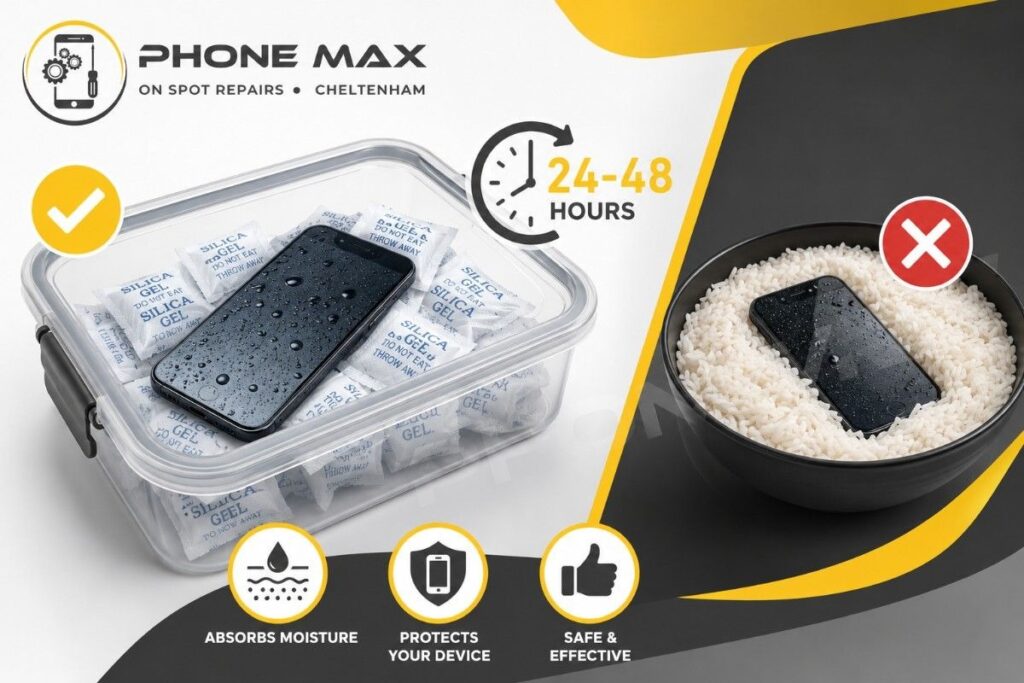
Step 5: Silica gel, not rice
If you have silica gel packets, put the phone in a sealed container with them for 24 to 48 hours. They actually draw moisture out of the surrounding environment in a way that rice simply doesn’t. Rice is fine for absorbing moisture from the air around a bowl of noodles. It cannot pull water out of sealed internal compartments inside a smartphone. Stick to silica gel.
Step 6: Leave it alone
Don’t turn it on to check. Don’t plug it in. Leave it in a dry spot with decent airflow and give it time.
Get Water Out of the Phone Charging Port the Right Way
Water in the phone charging port is the issue that causes the most secondary damage. People grab cotton buds, jam tissues in, or blow air from their mouth into the port. All of these push debris or moisture further in.
The only safe approach is patience and gravity. Hold it port-down, tap gently, leave it near a fan.
If you’ve got an iPhone and it shows the liquid detected in the connector warning, pay attention to that. Apple built this into the phone to stop you from accidentally shorting the charging circuit. It’s doing you a favour. Don’t try to override it by forcing a charge or using a wireless charger as a workaround. Wait until that warning clears on its own.
| Do This | Don’t Do This |
| Hold port facing down, tap gently | Blow into the port with your mouth |
| Wipe exterior with lint-free cloth | Push cotton buds or tissues inside |
| Use silica gel for 24 to 48 hours | Use a hair dryer or direct heat |
| Let a fan circulate air around it | Use compressed air on the ports |
| Wait before plugging in anything | Charge while moisture warning shows |
Water Damage Phone Signs You Might Not Spot Straight Away
Some damage is obvious. Screen goes black, the phone won’t turn on, speaker sounds like it’s underwater. But a lot of water damage is sneaky. The phone seems fine, then starts doing strange things two or three days later as moisture spreads and corrosion builds up.
Obvious signs straight after the incident:
- Screen flickering, dark patches, or visible water marks under the display glass
- Speaker sounds muffled during calls or audio playback
- Phone won’t switch on, or shuts off by itself
- iPhone not charging after water exposure, even when the port looks dry
Slower-burning signs to catch over the next 48 to 72 hours:
- Camera lens looking foggy or hazy in photos, even when the glass is clean
- Touchscreen with ghost touches or dead zones, it didn’t have before
- Phone overheating during normal, light use
- Green or white residue appearing around the charging port or SIM tray slot
Speaker grilles and microphone ports tend to hold onto moisture longer than the rest of the phone. If audio still sounds muffled after a couple of days of drying, don’t assume it’s permanent. Give it more time before ruling out a full recovery.
That residue is corrosion. If you see it, the board has been affected, and it’s time to bring the phone to a repair shop rather than wait any longer.
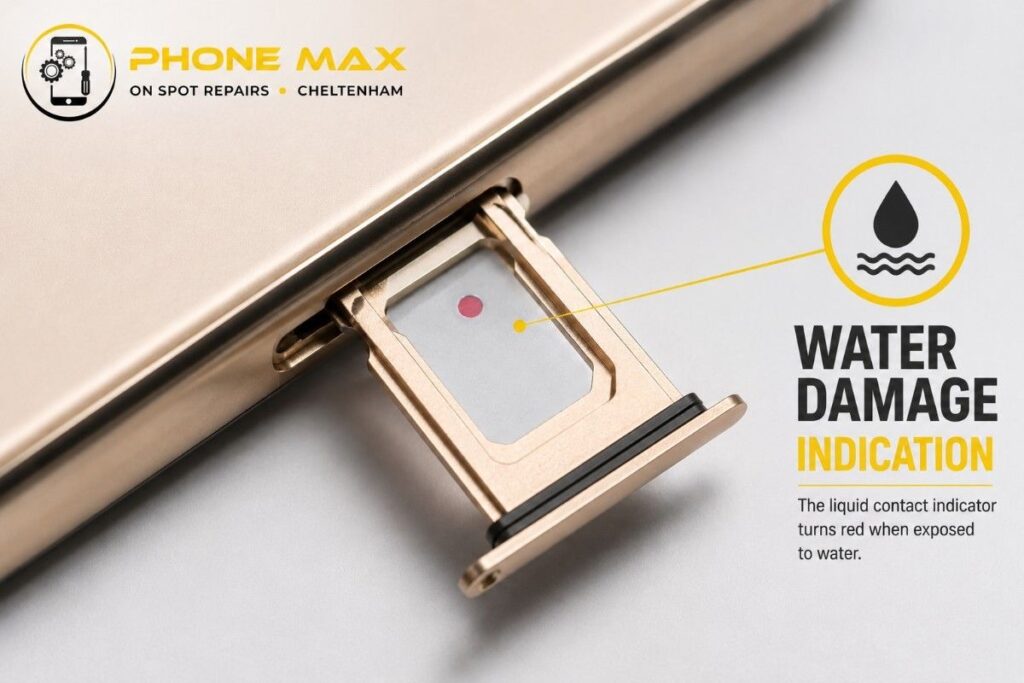
Every iPhone from the 12 series upward also has a Liquid Contact Indicator inside the SIM tray slot. It’s a small white dot that turns red on contact with liquid. Worth checking. If it’s red and you contact Apple support, they’ll know the phone has had water exposure and the standard warranty won’t cover it.
Are iPhones Waterproof? What IP68 Actually Means
This comes up constantly, especially after someone’s iPhone goes for a swim and they assume it should be fine.
iPhones are water-resistant. Not waterproof. There’s a real difference.
The iPhone 15 and 16 series carry an IP68 rating. Under controlled lab conditions, that means they can handle submersion in up to 6 metres of fresh water for 30 minutes. Samsung Galaxy S and Ultra models carry similar ratings. But lab conditions don’t include a pocket full of seawater, a cracked seal from a previous drop, or a charging port that wasn’t quite dry when it was first assembled.
| IP Rating | What It Covers |
| IP67 | Up to 1 metre of fresh water, 30 minutes |
| IP68 | Up to 1.5 to 6 metres depending on model, 30 minutes |
| No rating | No official water resistance at all |
Water resistance also degrades over time. A phone that was IP68 when new might let water in far more easily after two years of drops, daily use, and wear on the seals. This catches a lot of people off guard.
And no water resistance rating covers chlorinated pools, seawater, or any liquid other than fresh water. If your phone went into anything other than tap water or rain, treat it as unprotected regardless of what the IP rating says.
If you’re looking to replace a damaged device or pick something up with better protection, have a browse through our phones and accessories or check what’s available in the shop.
How to Fix a Water Damaged iPhone vs Android: Key Differences
Whether it’s a Samsung, Google Pixel, OnePlus, Xiaomi or any other Android device, the priority steps stay the same.
Older Android phones sometimes have removable batteries. If yours does, getting the battery out immediately is one of the best things you can do. No battery means no current, which means less chance of a short circuit damaging the board while it’s still wet. iPhones and most modern Androids are sealed, so shutting down fast is the only equivalent option.
iPhone water damage repair tends to be more expensive through Apple directly, and Apple won’t usually cover liquid damage under the standard warranty regardless of the IP rating. That’s where independent repair shops like us come in. We can carry out a proper internal inspection, a board clean, and a component assessment for both iPhone and Android devices without the Apple pricing attached.
Samsung screen water damage often shows up later than expected. The display on Galaxy phones can develop colour distortion or dead pixel patches within 24 to 72 hours after the incident. So even if the screen looks fine when you dry it out, keep an eye on it for the rest of the week.
When to Bring Your Water Damaged Phone to a Repair Shop in Cheltenham
If the phone won’t turn on after 24 hours of proper drying, bring it in. Same if you’re seeing any of the signs mentioned above, especially corrosion around the ports.
At Phone Max, based on the High Street in Cheltenham, we carry out water damage diagnostics and internal board cleaning for iPhones, Samsung, and other Android devices. Our technicians use proper specialist equipment to clean corrosion off components, check for short circuit damage, and let you know honestly what’s recoverable and what isn’t.
We also offer a pick and drop service across Cheltenham and the surrounding area, so if you can’t get to us straight away, we can come to you. That’s genuinely useful when your only device is the one that got wet.
You can also request a quote before you commit to anything, or just get in touch if you’re not sure whether it’s worth getting it looked at. We’ll give you an honest answer.
For anything related to what we fix day to day, the services page covers it all.
Real Example From Our Cheltenham Repair Bench
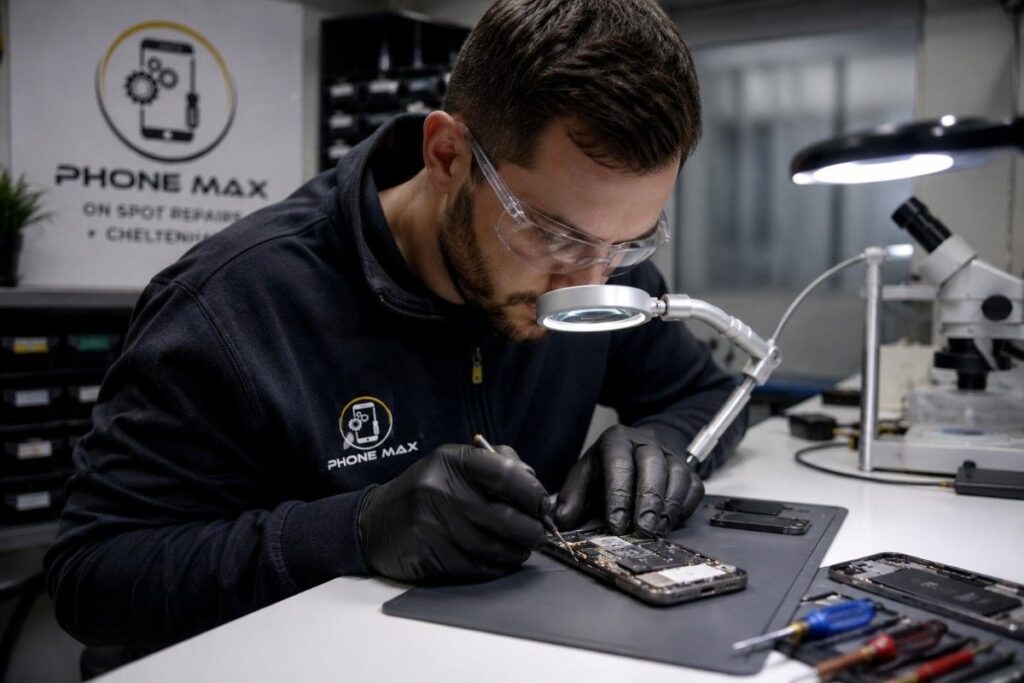
A customer came in last year with an iPhone 13. She’d dropped it down the toilet, got it out fast, switched it off, and left it on her desk with a fan running for a few hours before coming to us. No rice, no charger, no attempts to turn it on.
We did an ultrasonic board clean and a full internal inspection. The phone came back to full working condition.
Compare that with a bloke who came in with a Samsung that had slipped into a bath. He’d spent the next few hours turning it on every 20 minutes to check if it still worked. By the time he got to us, the board had shorted in multiple places. Genuinely wasn’t recoverable.
Same situation, totally different outcomes. The first 30 minutes are everything.
Moisture Showing on the Screen After Getting Wet
Foggy patches under the display glass are caused by condensation trapped between the screen layers. It’s moisture damage to the display assembly.
Don’t try to heat it out. Don’t press on the screen. Leave the phone off in a warm, ventilated spot and check it again after 24 hours. In some cases, the condensation clears as the phone dries out fully. If it’s still there after two days, the display may need professional cleaning or replacement. That’s something we handle regularly at Phone Max.
Conclusion
A water-damaged phone is not automatically a dead phone. The window to save it is narrow, but it’s real. Switch it off fast. Stay away from heat. Let it dry properly. And if you’re in Cheltenham and not sure what you’re dealing with, bring it to Phone Max on the High Street or use our pick and drop service, and we’ll take it from there.
Frequently Asked Questions
How do I get water out of my phone?
Power off immediately. Remove the case and SIM tray. Hold the phone charging port downward and tap it gently. Wipe the exterior with a dry cloth. Place it near a fan in a dry room, or in a sealed container with silica gel packets. Leave it for at least 24 hours before turning it on or plugging anything in.
Can a water damaged phone be fixed?
Yes, often it can. The outcome depends on how long the phone was submerged, what type of liquid it was, whether it was powered on during exposure, and how quickly it reached a professional. Phones brought in within a few hours of the incident have a much better recovery rate than those left for a day or more.
Should I charge my iPhone after it gets wet?
No. Not until the phone has been off and drying for at least 24 to 48 hours, and the moisture warning has cleared on its own. Charging while water is inside the connector can cause a short circuit that permanently damages the charging circuit or battery.
Does rice actually fix a water damaged phone?
Not really. Rice absorbs moisture from the air around it, not from sealed internal components inside a smartphone. It also introduces dust and starch particles near the ports. Silica gel packets are far more effective. If you don’t have any, plain air drying in a ventilated spot beats rice every time.
How long does water damage take to appear on a phone?
Some symptoms show immediately. Others, like ghost touches, camera fogging, or battery drain, take 24 to 72 hours to develop as moisture spreads and corrosion forms on internal components. Keep monitoring the phone for several days after the incident, even if it seems fine at first.