
No products in the cart.
Phone Data Recovery: How to Recover Lost Data | 2026 Guide
If your phone won’t turn on and you’re worried your photos are gone for good, the short answer is this. In most cases, your data is still sitting on the internal storage chip, even when the screen is black. I’ve seen this exact panic walk through our door at Phone Max in Cheltenham more times than I can count, and nine times out of ten, there’s a way back.
Phone data recovery is the process of getting deleted, lost or inaccessible files back from a mobile device. That covers everything from a quick backup restore to full chip-level extraction on a phone that’s been through the wash. This guide walks through every method, from the simple fixes you can try tonight to the point where you need a professional.
I run PhoneMax in Cheltenham, and data loss calls are one of the most common things we deal with. Customers come to us from Gloucester, Tewkesbury, Bishop’s Cleeve and Stroud, usually after a screen smash, a water spill or a phone that simply won’t switch on anymore. This article is written from what I’ve actually seen work.
What Is Phone Data Recovery and How Does It Work?
Phone data recovery means retrieving files that appear to be lost from a smartphone or tablet. This includes photos, contacts, messages, videos, and documents. When you delete a file, it isn’t wiped instantly. The phone marks that space as available, but the actual data often stays until it’s overwritten by something new.
That’s why acting quickly matters. The longer you keep using a phone after losing data, the higher the chance those files get overwritten and become unrecoverable.
Recovery of Mobile Phone Data: The Two Main Routes
There are two broad paths for mobile phone data recovery.
- Software-based recovery, using data recovery software or built-in backup restore tools
- Physical or professional recovery, used when the phone has hardware damage, water exposure, or won’t power on
Which route you need depends entirely on the state of the phone.
How to Recover Deleted Files on iPhone and Android
Before you consider mobile data recovery services, there are steps worth trying yourself, especially if the phone still switches on.
Restore Backup From iPhone
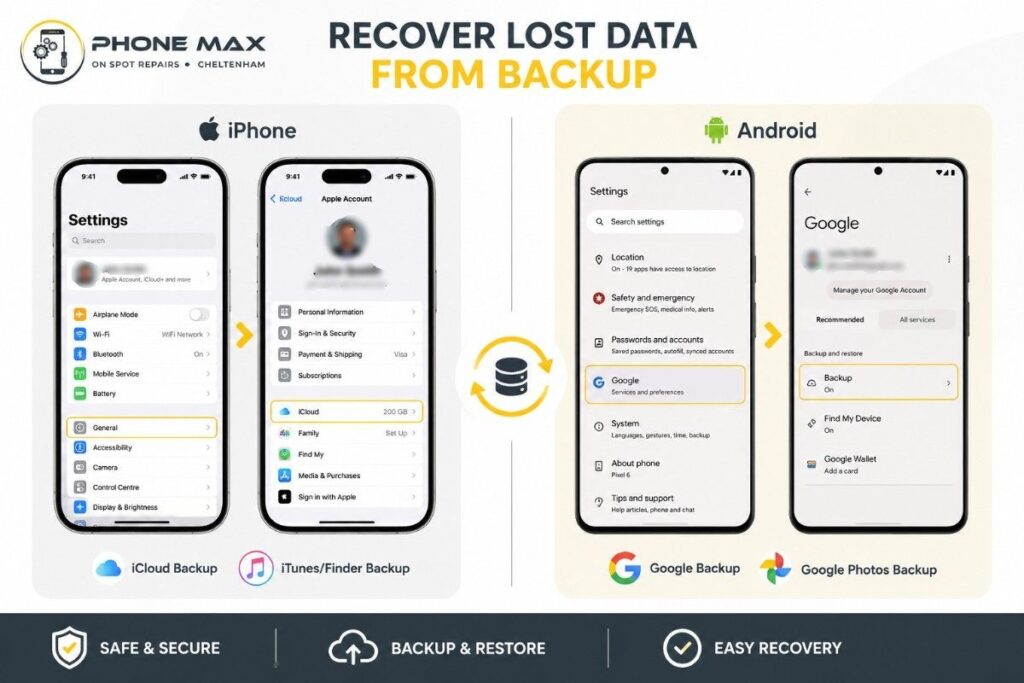
If you use iCloud, your photos, messages and app data may already be backed up. To check, go to Settings, tap your name, then iCloud, and look at what’s included in your backup. If a recent backup exists, you can restore it during phone setup, or through Finder or iTunes on a computer.
I always tell customers the same thing. iPhone file recovery is far easier when iCloud or a local backup is turned on, because Apple’s own recovery tools do most of the work for you.
Android Data Recovery Through Google Backup
Android works in a similar way. Check Settings, then Google, then Backup, to see if your phone has been syncing to your Google Account. Photos often sync separately through Google Photos, so it’s worth checking there too, since deleted images sit in the bin for 60 days before they’re gone for good.
If nothing was backed up, dedicated data recovery software can sometimes scan your phone’s storage and pull back deleted files. However, results vary depending on how much the phone has been used since the deletion happened.
How Do I Recover Photos I Thought Were Gone?
This is the question I get asked most. The honest answer is that it depends on where the photos were stored and how they were deleted.
Where to Check First for Deleted Photos
| Location | What to Check | Recovery Chance |
| Recently Deleted album (iPhone) | Photos app, Utilities section | High, within 30 days |
| Bin (Android) | Google Photos, Library, Bin | High, within 60 days |
| Cloud backup | iCloud or Google Account | High, if sync was on |
| Internal storage only | No backup, phone won’t open | Requires recovery software or professional help |
If none of these apply, a professional data recovery service can often still retrieve the images directly from the storage chip, even on a phone that won’t boot.
How to Backup Deleted Photos So This Doesn’t Happen Again
Once your data is safe, set up automatic backup so you’re never in this position again.
- Turn on iCloud Photos or Google Photos backup
- Connect your phone to Wi-Fi overnight so backups run automatically
- Keep a second copy on a computer or external drive for anything irreplaceable
I say this to every customer who comes through our doors after a data loss scare. A five-minute setup now saves us both hours of stress later.
How to Retrieve Deleted Messages and Emails
Recovering messages works differently depending on the app.
For standard SMS and iMessage, an iCloud or local backup will usually bring them back through a full restore. WhatsApp stores its own backups separately, either in iCloud on iPhone or Google Drive on Android, and you can restore this when you reinstall the app.
Gmail email account recovery is more straightforward. Deleted emails sit in the Bin for 30 days, and Google’s own account recovery tools can often help if you’ve lost access to the account itself rather than just individual messages. For account access issues, I’d point you to Google’s own guidance on restoring deleted photos and videos, which covers similar recovery windows across their services. Quora
Data Retrieval From a Broken or Damaged Phone
This is where things get more technical, and where I see the most worry from customers.
Recovery of SD Card Data
If your phone uses a removable SD card and it’s the card itself that’s failed, this is usually more recoverable than internal storage damage. SD card recovery software can often scan the card directly once it’s removed and connected to a computer via a reader. Physical damage to the card itself is a different matter, and at that point it needs a specialist.
Damaged Phone Data Recovery: Screens, Water and Dead Batteries
A cracked screen doesn’t usually mean lost data. In many cases, the phone still boots in the background, and we can connect it to a computer to copy files across even without a working display.
Water damage is trickier. If your phone has been submerged, switching it on straight away is the worst thing you can do, because it risks a short circuit that damages the storage chip itself. I’ve written a full breakdown of what to do in the first hour after a spill in our guide on what to do with a water damaged phone.
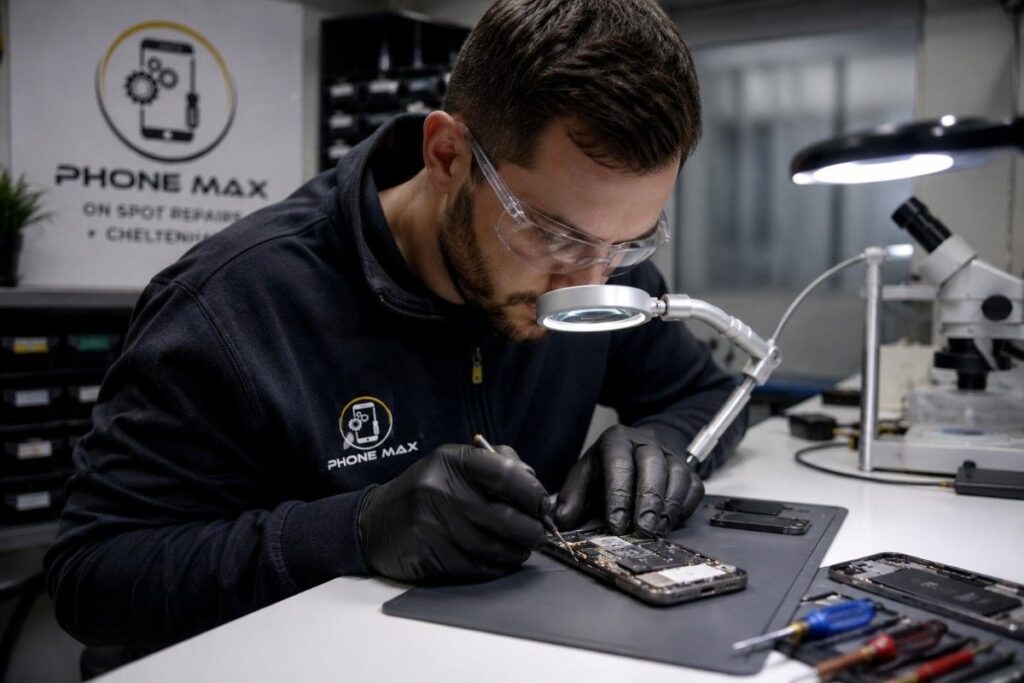
Real example: A customer came in last month with a Samsung that had gone through a wash cycle. It wouldn’t power on at all. We didn’t attempt to switch it on ourselves either. Instead, we dried the board properly, checked the connectors under a scope, and once power was restored, every photo and message was still intact. The lesson there is patience, not panic.
Professional Data Recovery Services: When DIY Isn’t Enough
Software tools have limits. Once a phone has physical damage, won’t power on at all, or has a corrupted file system, you’re into the territory of professional data recovery services.
A proper data recovery expert works at the component level, sometimes removing the storage chip itself to read data directly, bypassing a broken logic board or dead battery entirely. It’s specialist work, and not something a general repair shop can do without the right equipment.
“Most people assume a dead phone means dead data. In reality, the storage chip usually survives long after everything around it has failed.” That’s something I say to nearly every customer who walks in convinced their memories are gone.
What to Look For in a Data Recovery Service
- Experience across both iPhone and Android data recovery, not just one platform
- A clear explanation of what’s recoverable before any work begins
- Secure, confidential handling of your personal data
- Local availability, so you’re not posting a phone with your private photos across the country
Mobile Phone Data Recovery Near Me: Why Local Matters
Searching for phone data recovery near me usually means you want your device seen quickly, by someone you can talk to face to face. That matters more than people realise, especially when the files involved are personal.
We work with customers across Cheltenham, and regularly see people travel in from Gloucester, Tewkesbury, Bishop’s Cleeve, Stroud and Cirencester for the same reason. Being able to bring a phone in, explain exactly what happened, and get an honest assessment beats posting a device off and waiting on updates from a call centre.

If you’re not sure whether your issue needs a repair or a recovery specialist, our team can usually tell within a few minutes of looking at the device. You can see how we approach repairs generally in our piece on choosing the best phone repair shop in Cheltenham.
Conclusion
Phone data recovery isn’t always as bleak as it first feels. Checking your backups is the fastest route back to your files, and for anything more serious, a proper assessment beats guesswork every time. Whether it’s a simple restore or a phone that’s been through real damage, the storage chip is usually more resilient than people expect.
If you’re in Cheltenham or nearby and need a hand working out what’s actually recoverable, get in touch with our team or request a quote and we’ll take a proper look. We also offer pick-up and drop-off if getting to us is the tricky part.
Frequently Asked Questions
Can data be recovered from a phone that won’t turn on?
Yes, in most cases. If the phone powered on recently, the storage chip is usually intact even if the screen or battery has failed.
Is phone data recovery software safe to use?
Reputable data recovery software is safe, but always download from official sources. Avoid running write operations to the same storage while recovery is in progress, as this can overwrite the files you’re trying to save.
How long does professional phone data recovery take?
It depends on the damage. Software-based recovery can be the same day. Chip-level extraction on a badly damaged phone can take longer, since it requires careful, methodical work.
Can I recover data after a factory reset?
Sometimes, if action is taken quickly and the phone hasn’t been used much since. It becomes much harder the longer the device continues operating normally afterwards.
Does water damage always mean lost data?
No. If the phone is dried properly and not switched on prematurely, data is often still intact on the storage chip even if the phone itself needs repair.
Reviews shared by PhoneMax customers
Here are a few reviews shared by PhoneMax customers:
- “Brilliant services and amazing prices with a really friendly staff.”
- “Highly recommend for top class service and quality repairs.”
- “Great service fixing my broken screen.”