
No products in the cart.
Phone Microphone Not Working: 7 Fixes That Actually Work
You’re mid-call, saying “hello, hello,” and the person on the other end has already hung up, thinking the line dropped. A phone microphone not working is one of those faults that feels dramatic in the moment but is usually sorted in five minutes flat. I’ve lost count of how many times someone’s walked into our Phone Max Cheltenham shop convinced their phone is dying, only to find it was a bit of pocket fluff.
So before you panic or book a repair, work through this. It covers every version of the problem I get asked about, from a straightforward Android microphone problem to an iPhone microphone not working on phone calls specifically, plus what to do if your mic’s been anywhere near water.
Why Is My Microphone Not Working On My Phone?
Six things cause this, and only one of them actually needs a technician. The rest you can sort yourself tonight.
Dust and pocket lint block the mic hole more often than people realise, especially if you carry your phone loose in a bag. A case or screen protector can sit slightly over the microphone cutout and muffle your voice without you noticing. Bluetooth is a sneaky one too; your phone can keep routing audio to a headset or car system that’s no longer even in the room. Then there’s app permissions, a stuck software glitch after an update, water damage, and, less commonly, a genuinely faulty mic component.
Here’s roughly how often each one shows up:
| Cause | How often I see it | DIY fixable |
| Blocked mic hole | Most common | Yes |
| Case or screen protector covering it | Common | Yes |
| Bluetooth still connected | Common | Yes |
| App permission switched off | Common | Yes |
| Software bug after an update | Common | Yes |
| Water exposure | Occasional | Sometimes |
| Damaged mic component | Occasional | No |
Notice something? Five of those seven need nothing more than a fiddle with settings.
Quick Way To Test If It’s Actually The Hardware
Open your voice recorder app and say something for ten seconds. Play it back. Clear as day? Then the microphone itself is fine, and something else- an app, a permission, a paired device- is the actual culprit.
Samsung owners can dial *#0*# for a hidden test menu on some models. On iPhone, record a short video with the front camera, then one with the rear camera. iPhones use different microphones for different jobs, so if one clip sounds perfect and the other’s silent, you’ve found your fault without opening a single settings menu.
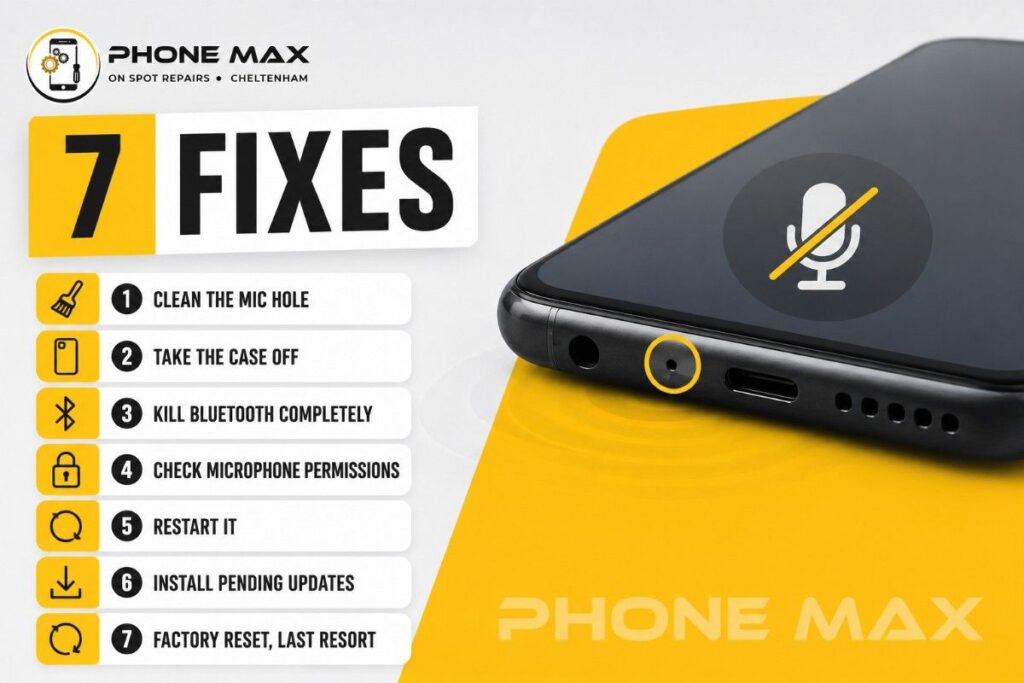
7 Fixes That Actually Work
Go through these in order. Most people are done by step three.
- Clean the mic hole. Soft brush, or a puff of compressed air. Skip the pin; it’ll wreck the mesh behind it.
- Take the case off. Sounds too simple, but cheap cases genuinely do sit over the port sometimes.
- Kill Bluetooth completely. Not just disconnect, actually switch it off in settings, then call again.
- Check microphone permissions. iPhone: Settings, Privacy & Security, Microphone. Android: Settings, Apps, Permissions, Microphone. Look for the Phone app specifically.
- Restart it. A reboot clears whatever audio session has been running since you last turned it on, which fixes more of these than you’d expect.
- Install pending updates. Manufacturers patch audio bugs constantly. Check for one.
- Factory reset, last resort. Back everything up first. If the mic’s still dead after a reset, you’re looking at hardware, not software.
If It’s An iPhone Microphone Not Working On Phone Calls
This one’s often the bottom mic specifically rather than total failure, because iPhones split microphone duties across calls, video, and Siri. Had a customer bring in an iPhone 11 microphone not working on phone calls last month; it worked perfectly in FaceTime, but was silent on ordinary calls. That pattern tells you straight away it’s the bottom mic module, not a settings issue. Apple’s own microphone troubleshooting page walks through the same camera swap test I mentioned above, worth a look if you want the official version.
Android Phone Microphone Not Working On Calls
9/10 times this comes down to Noise Reduction being switched on and overcorrecting your voice into silence. Open your Phone app’s call settings, find Noise Reduction or Noise Suppression, turn it off, test again.
Microphone Not Working On Samsung Phone
Samsung phones have their own built-in diagnostic through the Samsung Members app; run that first. Their own support documentation confirms what I see constantly in the shop, that a blocked mic hole is the single biggest cause of microphone not working on Android phone models generally, not just Samsung.
AirPods Microphone Not Working On Phone Calls
Usually a connection hiccup rather than a hardware fault. Put them back in the case, close the lid, count to ten, reconnect. If only one earbud ever picks up your voice, check Settings, Accessibility, AirPods, and make sure it’s set to switch automatically rather than locked onto one side.
Phone Mic Not Working In Calls But Works On Speaker
This exact pattern almost always traces back to the headphone jack sensor thinking headphones are still plugged in, even when they’re not. Plug a wired headset in, pull it out again, do it twice, then restart. Fixes the majority of these cases outright.
Phone Microphone Not Working After Getting Wet
Don’t charge it. Don’t blow into the mic hole either; that pushes moisture deeper rather than out. Power it off and leave it somewhere dry and ventilated for a full 24 hours minimum. Still silent after that? Moisture’s likely reached the flex cable, and that’s a job for a technician. I’ve gone through the full process in more detail in what to do with a water damaged phone, worth reading if this is your situation.
When It’s Time To Bring It In
Worked through all seven and still nothing? That’s hardware, not a setting you’ve missed. Common after a drop, after a proper soaking, or just old age on the microphone flex cable.
We run a proper diagnostic on the mic before quoting anything at our Cheltenham High Street shop, so you’re never paying to find out what’s actually wrong. Can’t get into town during the day? We collect from Gloucester, Tewkesbury, Bishop’s Cleeve and Winchcombe through our pick and drop service.
Not sure if it’s even worth the trip? Message us and describe what’s happening; we’ll usually know straight away whether it’s a 5-minute fix or something more.

Conclusion
A phone microphone not working always feels bigger than it is. Start with the basics: dust, case, Bluetooth, permissions, before you assume the worst. If you’ve genuinely worked through everything above and it’s still silent, that’s your cue to stop guessing and get a quote instead.
What customers actually say after a repair matters more than anything I can write here:
“Brilliant services and amazing prices with a really friendly staff.”
“Highly recommend for top class service and quality repairs.”
“Great service fixing my broken screen.”
Frequently Asked Questions
Why is my microphone not working on my phone during calls specifically, but fine on WhatsApp?
Different apps hold different permissions. Your Phone app may have lost mic access while WhatsApp kept it. Check both separately.
Can a screen protector really cause the phone microphone not to work?
Rarely, but yes, if it overlaps the mic cutout even slightly. Peel it back and test.
Does a restart genuinely fix the phone microphone not to work?
More often than you’d think. It clears the current audio session and costs you nothing to try first.
How do I know if Bluetooth is causing the phone microphone not to work?
Switch it off entirely from quick settings, not just disconnect the device, then call someone. Clear audio means Bluetooth was the problem.
Is phone microphone not working covered under warranty?
If the phone’s still within warranty and the fault isn’t from water or a drop, usually yes. Bring proof of purchase, and we’ll give you an honest read on it either way.



Leave a reply